How to Add a Section Seperator in Pro Header builder

I understand that I can add section separators to the content using pro, but I have a hero header that I’ve build and in the same header, below the image, I have another section that I want to use a “section seperator” on but I can’t seem to figure it out…even using custom CSS…can you please point me in the right direction? Thank you very much.

Here’s a screenshot of my entire Header (4 bars total)

Hi @jvasquez3

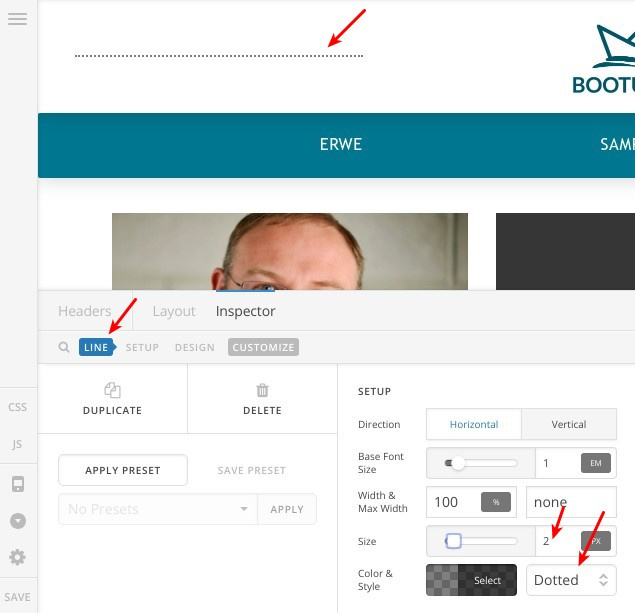
I believe adding a “Line” element should have the same effect, you can control its settings as in this screenshot:

Thanks.

Thanks Alaa, I’ll try that BUT, I’m looking for something more link the “Section Seperators” that can be found in cornerstone. Can you please advise?

Hey There,

Regretfully the separators works for the section and the it can be added in the Content editor only. At the moment, we do not have any feature that would allow you to add a separator within the header builder. The upper section separator of the first section from the content editor may or may not work because they are on a different containers.

Thanks for your understanding.

This topic was automatically closed 10 days after the last reply. New replies are no longer allowed.