Hi,
I’ve used this code to add a link to the top admin bar:
function wpb_custom_toolbar_link($wp_admin_bar) {
    $args = array(
        'id' => 'userlink',
        'title' => 'Users',
        'href' => 'https://followtheboat.com/wp-admin/users.php',
        'meta' => array(
            'class' => 'userlink',
            'title' => 'Users'
            )
    );
    $wp_admin_bar->add_node($args);
}
add_action('admin_bar_menu', 'wpb_custom_toolbar_link', 999);
It works when on a PC but I’d like to make it display when on my phone. Currently, my phone only shows four icon links like this:
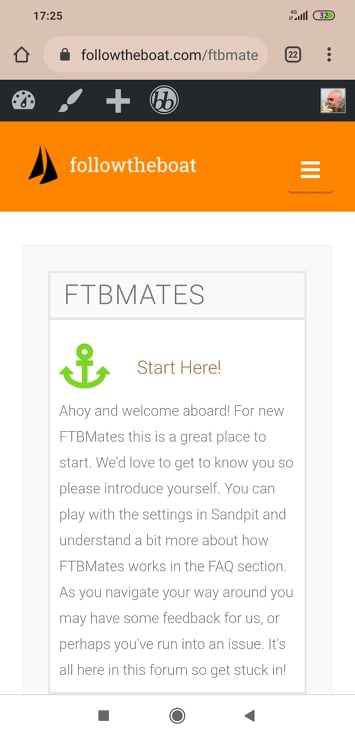
How can I add another icon with the link to my User page?
Thanks!