How to Add A Cover Image to a Page

Hi Team

I have a Blog page at this address that has a big blank space at the top. I’d like to add a cover image but I can’t find where to add it. Is this a custom CSS job?

Page is located at: https://jhpalmer.co.uk/news/

Many thanks in advance!
Harry
Hi There,

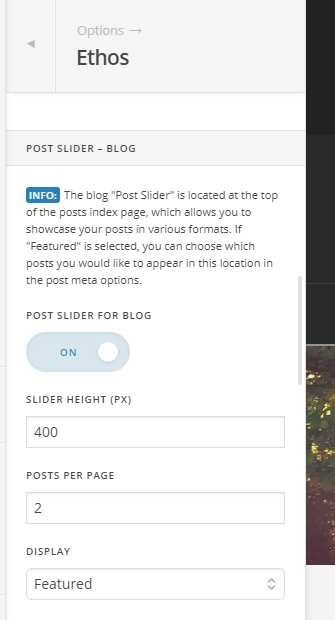
That blank page is the POST SLIDER – BLOG, you can enable it under Theme Options > Ethos:

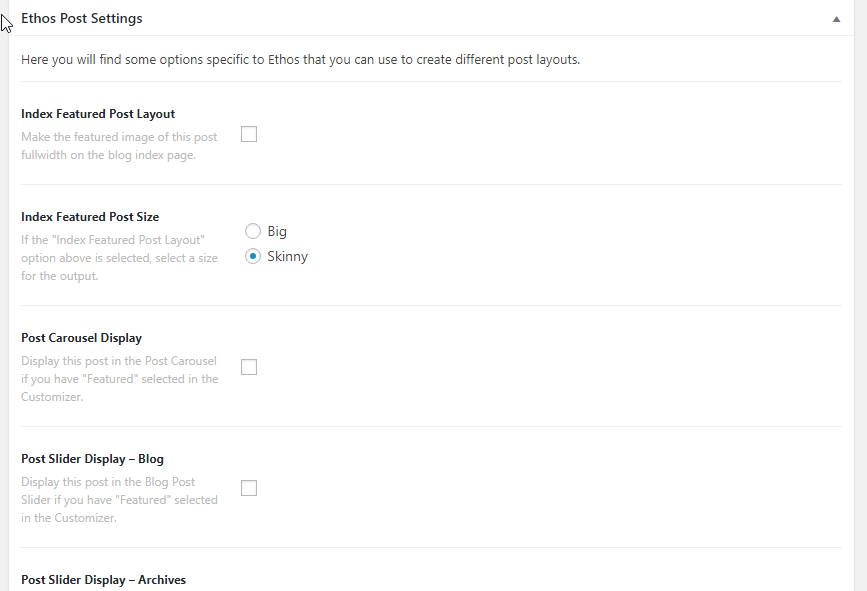
The blog posts are based on the Featured, Most Comment or Random.

You can set the featured for the blog posts when you edit the individual post.

Hope it helps :slight_smile:

This topic was automatically closed 10 days after the last reply. New replies are no longer allowed.