Hey there,
I’d love to have something similar on some of my pages.
Can you explain me how to do that ?
Thank you by advance for your help !

Hi Matthieu,
Those are actually a customized page links.
If you want to replicate the design of the table contents, you can add a column with the table contents and set a gray background and darker gray border. As for the line between the text and the item number, you will have to add some custom CSS to achieve it.
As for the functionality, you can first add an ID to the headline element which are the headlines to the section. You can add an ID to the headline element:
Then whatever ID you have set to the headline element, that can be the href value or the link of the table content item.
For example:
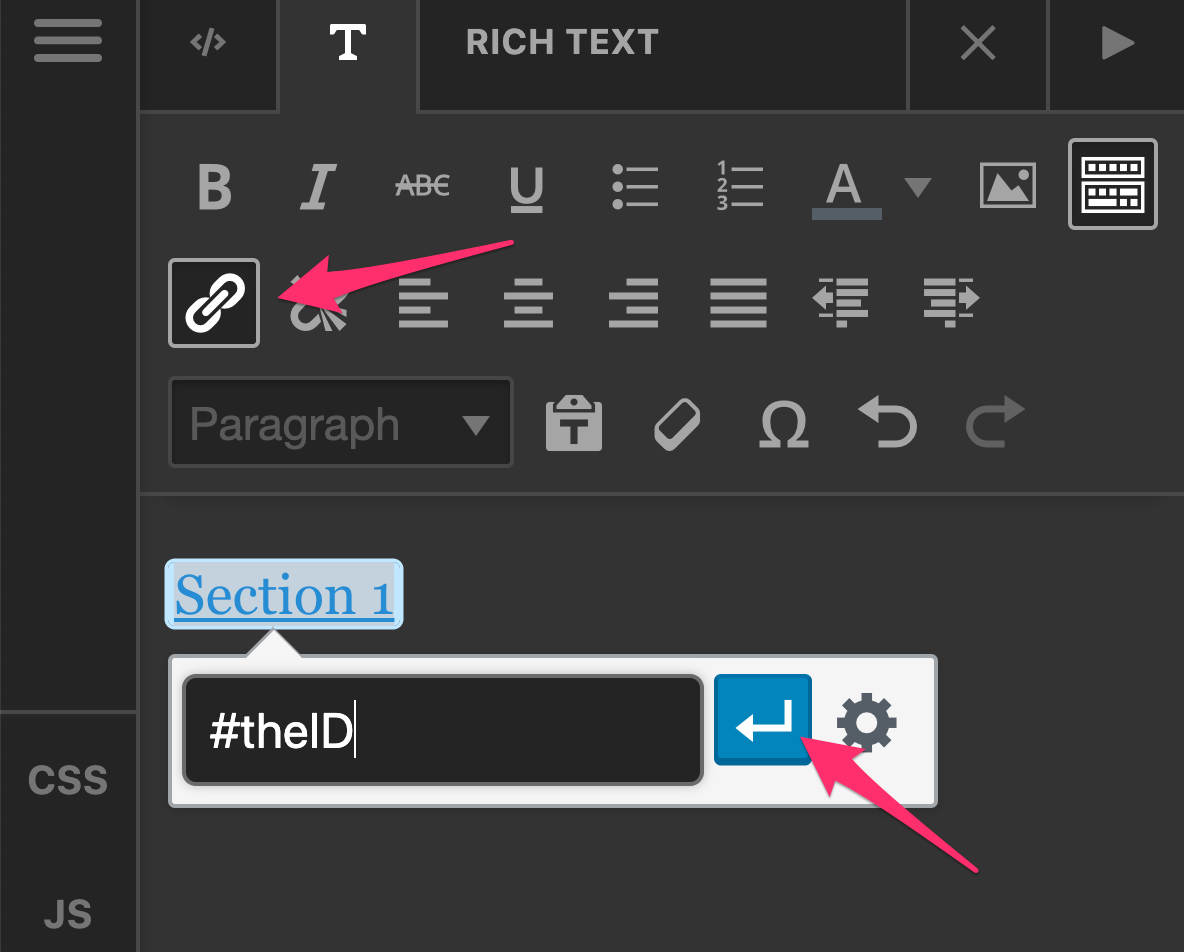
Hope this helps you get started.
Got it !
Thanks !
You’re welcome, Matthieu.
This topic was automatically closed 10 days after the last reply. New replies are no longer allowed.