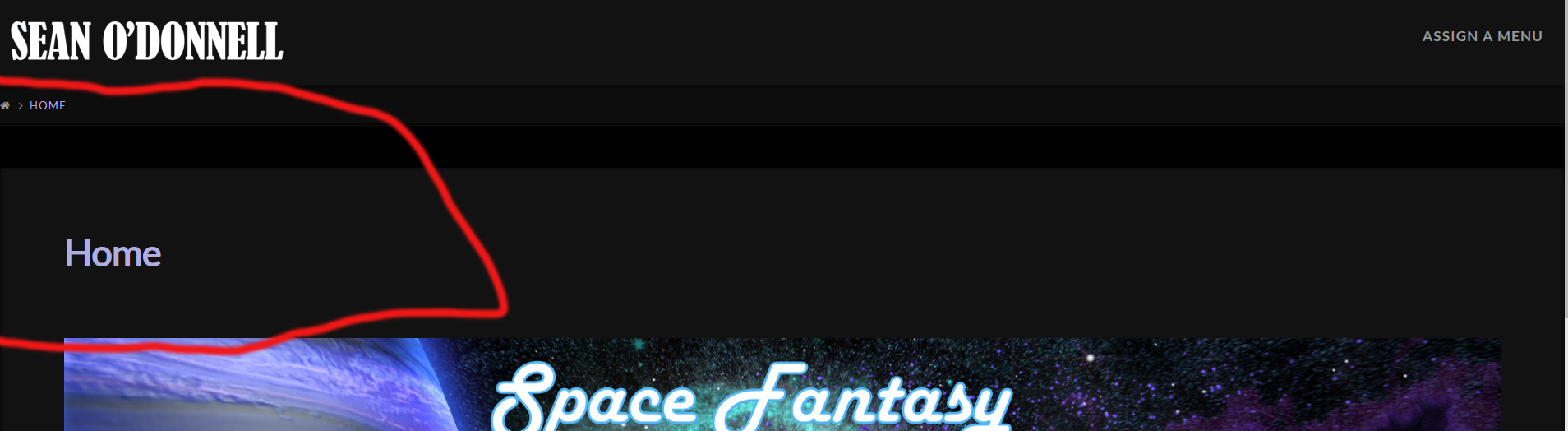
Hello, I am in the process of creating a new site, and I’d like to have my graphical content be flush to the bottom of the header, but there’s both a line with a house icon and home link, as well as a space and a Home title that I can’t find any way to get rid of. Screenshot below, and here’s a link to the page: http://www.seano-donnell.com/home/
Thank You
Hello @LiveandDirect,
Thanks for writing in! 
The part where the house icon and home link is what you called breadcrumbs.
To hide it, first go to X > Launch > Options > Header and turn off breadcrumbs. Please take note that turning this off will hide it on all pages.
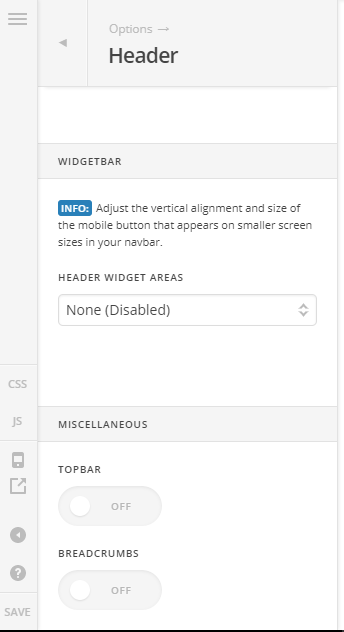
Then add this code to X > Launch > Options > CSS to hide the page titles and remove the black space:
.entry-title {
      display: none;
}
.x-container.offset {
      margin: 0 auto !important;
}
Hope it helps.
Great! Thanks, that did the trick on both counts.
On behalf of my colleague, you’re welcome. Cheers!
This topic was automatically closed 10 days after the last reply. New replies are no longer allowed.