Hi, somehow I’ve managed to change my site over to a dark background, but my text in many places is still black and I can’t change it. How do I make ALL text a white/grey color? Site is highresponsemarketing.com, you’ll see what I mean scrolling down.
Hello @itsbobross,
Thanks for writing to us.
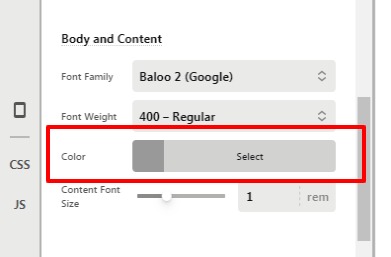
To change to the colour of the content you need to go to X/Pro —>Theme Option —>Typography–>Body and Content–>Color. It would be applicable for the paragraphs.
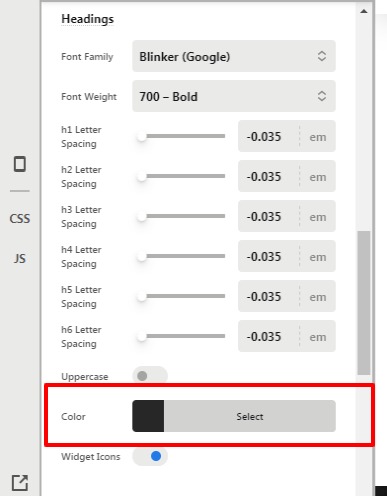
In case if you want to change the colour of Heading, go to X/Pro —>Theme Option —>Typography–>Headings–>Color
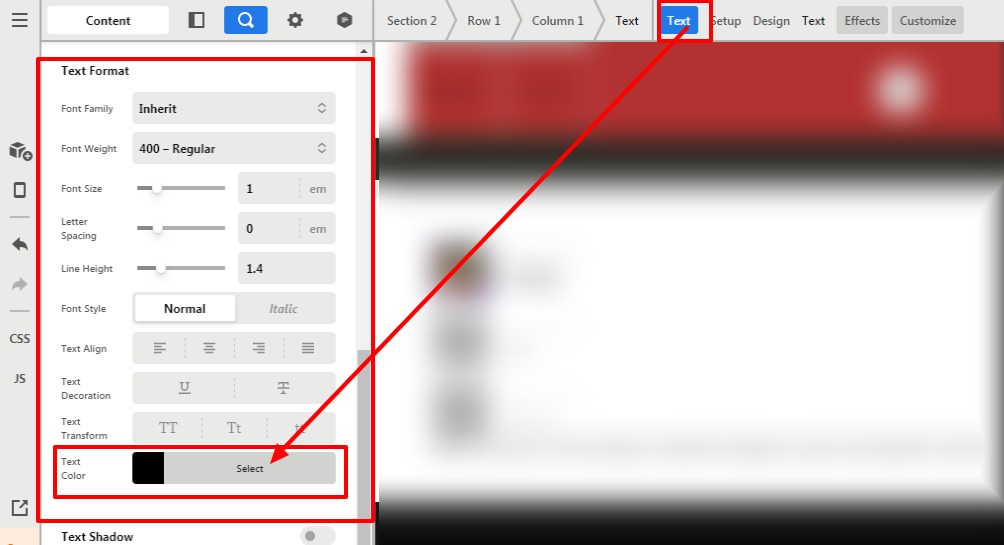
In case if you have added colour by using the builder element then you need to go the specific element —>Text Format—>Text Color.
For example, let’s say you have added text by using the “Text element” then you need to click on the Text—>Text Format -->Text Color.
Hope it helps
Thanks
This topic was automatically closed 10 days after the last reply. New replies are no longer allowed.