How do I hide the date and the author's name in each of my post?

How do I hide the date and the author’s name in all of my post? I want them hidden EVERYWHERE on the site including the label at the carousel. I’m using Ethos 1.

PS: I don’t know how to code but if this involves code, I can probably do it as long as there’s precise instruction on which to click and where to paste.

Hi,

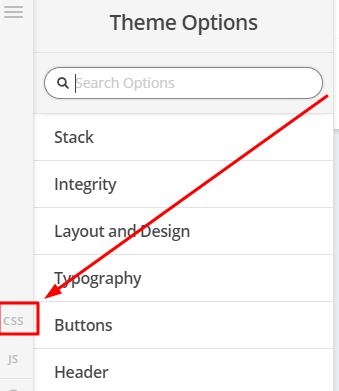
To achieve that, add the code below in Theme Options > CSS

.x-post-carousel-meta>span.entry-cover-author,
.x-post-carousel-meta>span.entry-cover-date { 
   display:none; 
}
Then create file _index-featured.php in x-child/framework/views/ethos/ and add the code below into that file.

<?php
// =============================================================================
// VIEWS/ETHOS/_INDEX-FEATURED.PHP
// -----------------------------------------------------------------------------
// Featured content output for the index pages.
// =============================================================================
$index_layout           = get_post_meta( get_the_ID(), '_x_ethos_index_featured_post_layout',  true );
$class                  = ( $index_layout == 'on' ) ? 'featured' : '';
$background_image_style = x_ethos_entry_cover_background_image_style();
$categories             = x_ethos_post_categories();
?>

<a href="<?php the_permalink(); ?>" class="entry-thumb <?php echo $class; ?>" style="<?php echo $background_image_style; ?>">
  <?php if ( $index_layout == 'on' && ! is_single() ) : ?>  
    <span class="featured-meta"><?php echo $categories; ?> </span>
    <h2 class="h-featured"><span><?php the_title(); ?></span></h2>
    <span class="featured-view"><?php _e( 'View Post', '__x__' ); ?></span>
  <?php else : ?>
    <span class="view"><?php _e( 'View Post', '__x__' ); ?></span>
  <?php endif; ?>
</a>

You may refer to the video below for your guide on how to create file and folder using file manager

Hope that helps
woohoo! works like a charm. Big thanks!

Oh sorry. One more. The posts I tagged as “Featured” are still showing their dates. They’re NOT under Post Carousel (like the ones before) but under Post Slider- Archives and Post Slider- Blog. Do you maybe have a code to hide these ones? Thank you.

Hi Sheina,

Sure, please add this CSS as well

.x-post-slider-entry .featured-meta {
display: none;
}

Hope this helps :slight_smile:

Hi Rad,

This worked for the Post Slider Blog this time but not for the Post Slider- Archive. I’ve attached the screenshot so you know what it is.

Thanks

Hi Sheina,

Please update Rad’s given CSS code to this:

.archive .x-post-slider-entry .featured-meta,
.blog .x-post-slider-entry .featured-meta {
display: none;
}

Hope it helps,
Cheers!

Hi Friech,

This didn’t work. Still the same. Dates in the archive are still showing.

Thnx

Hi Sheina,

The CSS I provided works globally since there is no specific selector to which page. The one in your screenshot isn’t a post slider, it’s a featured post. In that case, let’s remove them all

.featured-meta {
display: none;
}

Hope this helps.

This works. Thanks a lot!

You’re welcome!
We’re glad @Rad were able to help you out.

This topic was automatically closed 10 days after the last reply. New replies are no longer allowed.