I’m trying to fix the letter spacing on my webpage (worldhorizonsusa.org/stories) but I can’t seem to find a setting for it.
Hi There @cwctroy
Thanks for writing in! You can simply edit your category,
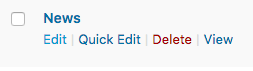
Then you can set an archive title.

Hope that helps.
I should have been more specific. I want to edit the font spacing of the archive title, not the text of it.
Hello @cwctroy,
Thanks for asking. 
You can add following CSS under X > Theme Options > CSS:
.h-landmark span {
    letter-spacing: 2px; /*to adjust spacing between letters */
    word-spacing: 3px; /* to adjust spacing between words */
}
To learn more about Letter and Word spacing, please take a look at following resources:
https://developer.mozilla.org/en-US/docs/Web/CSS/letter-spacing
https://developer.mozilla.org/en-US/docs/Web/CSS/word-spacing
If you would like to learn CSS, I am sharing few resources that you take a look to get started with CSS and an interesting tool that you can use to speed up the development process.
I recommend you to watch following video that will help you to get started with CSS.
Sometimes it can get a bit difficult to find out the right selector to be able to write the required CSS codes. A handy tool that can help you in this is Google Chrome dev tools. I am sharing the resource that you can refer to get started with dev tools.
https://developers.google.com/web/tools/chrome-devtools/css/
Thanks.
This topic was automatically closed 10 days after the last reply. New replies are no longer allowed.