I am using X Theme Version: 6.5.6 on WordPress 5.2.2. Currently, when a page loads which was built in Cornerstone, the rows slide in as you scroll down the page. How do I disable this behavior so they all appear as soon as the page loads? Thank you!
Hello @CWGHelpingOutreach,
Thanks for writing in!
The animation can be enabled/disabled in each of the column settings.
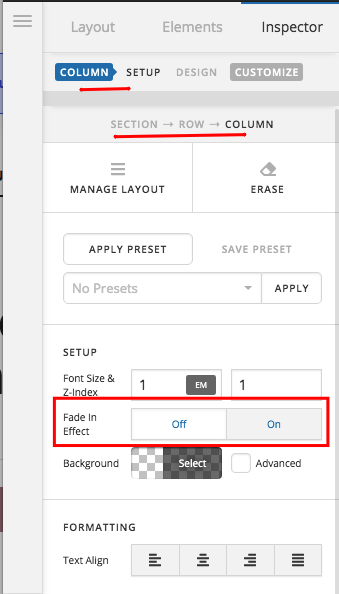
Hope this helps. Please let us know how it goes.
Perfect! I looked for it but just hadn’t drilled down to the column level. Thank you!
This topic was automatically closed 10 days after the last reply. New replies are no longer allowed.