How do I change the Menu Button Color
Hello There,
Thanks for writing in!
The menu colors can be change in the theme options, X > Theme Options > Header > Links - Text. Simply use the color picker for the navbar links and the navbar links hover.
If you want to change the color of the mobile button, it is dependent with the site links color. Please go to X > Theme Options > Typography > Site Links and use the color picker to change it.
Hope this helps. Please let us know how it goes.
 I dont have a “site links” option. It only has “links”
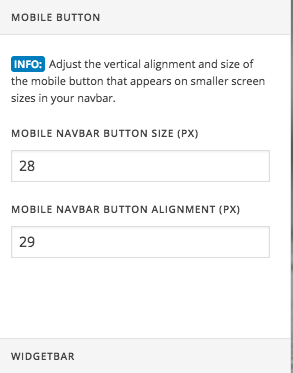
Hi There,
Try adding the following CSS rule into your X -> Theme Options -> CSS area and change the color value according to your preference.
.x-btn-navbar, .x-btn-navbar.collapsed:hover {
    background-color: red;
}
Hope that helps.
So the color is correct using the proper Hex Code but when the site first loads it loads to orange and then changes when you click it.
Hello There,
Yes, I can see it happening on View Services button on your homepage. Please note that Orange or this hex #ff2a13; is default button background for Renew stack. It will be read first then it will be overwritten by custom CSS like suggested previously or by the following setting Theme Options > Button > Under Colors and Hover Colors.
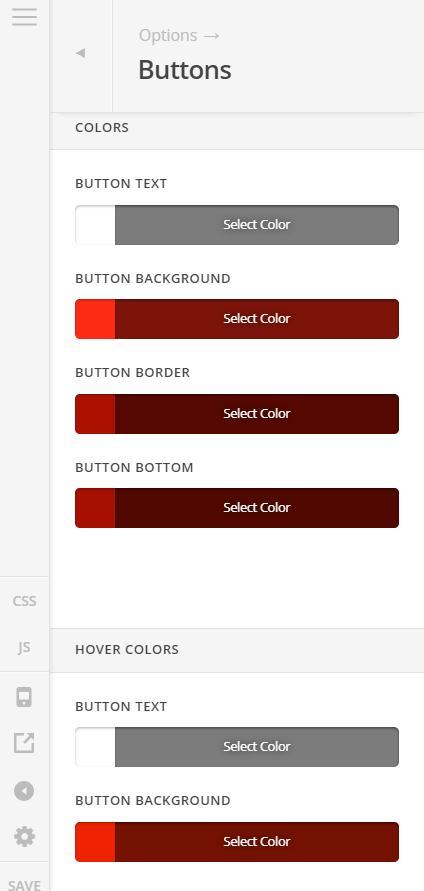
This is how it works for CSS heirarchy. There’s always a default settings for theme/stacks and it can be overwritten using CSS or on Theme Options. Usually for fast loading, the changes are fast that we cannot even see it.
Hope this helps.
This topic was automatically closed 10 days after the last reply. New replies are no longer allowed.