Hi,
I wanna use the original normal navigation menu from the X theme, so I wanna disable the header builder.
But, I cant get my normal menu to show on the screen somehow.
What can I do to make this work?
Sincerely,
Filip
Hi,
I wanna use the original normal navigation menu from the X theme, so I wanna disable the header builder.
But, I cant get my normal menu to show on the screen somehow.
What can I do to make this work?
Sincerely,
Filip
Hi There,
Thanks for writing in!
There is no special way to add default menu to the header without using header builder.
Please go to Dashboard -> Appearance -> Menu Create your menu and add the items to the menu and save it.
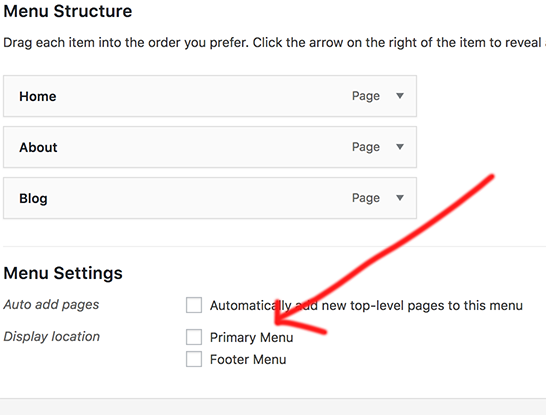
Then choose your menu location to primary it will show your menu in the header. If you want to do some changes in menu appearance and header, like X theme option go to Pro -> Theme option -> Header and do need full changes.
Hope this helps.
Thanks
This topic was automatically closed 10 days after the last reply. New replies are no longer allowed.