Hi there
For seo-reasons I would like to set a title tag on a button-element, but I can’t find it.
Could you help me please?
Thanks,
Gabriel
Hi there
For seo-reasons I would like to set a title tag on a button-element, but I can’t find it.
Could you help me please?
Thanks,
Gabriel
Hey Gabriel,
For attributes not available in the element options, you can use the Custom Attributes option. To do that, follow the steps below.
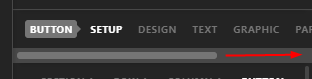
Use the Option Scrollbar to see the Customize tab
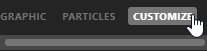
Click on the Customize tab.
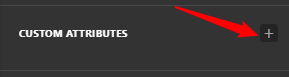
Add a Custom Attribute
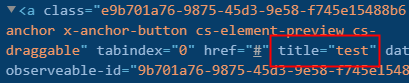
Type title for the Name and your desired text for the value.
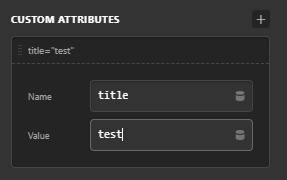
You should be seeing the title attribute in the Button’s main element.
Hope that helps.
This topic was automatically closed 10 days after the last reply. New replies are no longer allowed.