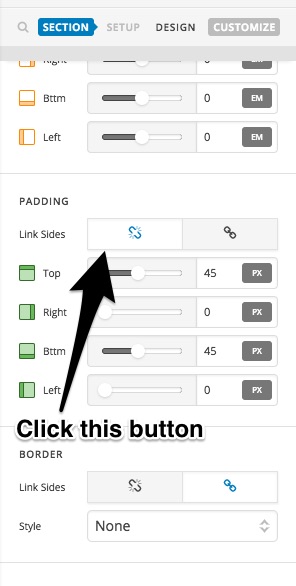
How can I adjust the margins and padding on just one side and not the others?

Every time I try to adjust the margins and padding in cornerstone, it automatically adjusts on top, bottom, left and right sides. I’m trying to figure out how to get it to allow me to adjust just one side at a time, without adjusting the others?

Here’s an example of what it’s doing: https://screencast.com/t/S1dt6qGg

Thanks so much for your help.

Amy

Hey Amy,

Thanks for asking and explaining the problem you are facing using recorded screencast. :slight_smile:

You just need to click on unlink button and that will give you the option to adjust padding values individually each side. Here is a screencast that I have recorded that should help you. https://cloudup.com/cpYjDqOmuTk

Hope that helps.

Thanks.

Thanks so much. It helps a lot.

But I have one other question… is there an easy way to center the button inside of the column? I have ‘center’ selected for horizontal and vertical (as shown here): https://screencast.com/t/k2GA8YQkZe5T but it’s not centering the button. And even when I adjust the padding, etc, it’s hard to tell of it’s actually centered because the way it looks in the preview is different than the way it looks on a live page with different dimensions. Seems like there should be an easy way to center it?

Thanks again for your help,

Amy

Hi There,

Make the column text align center.

Hope this helps!

This topic was automatically closed 10 days after the last reply. New replies are no longer allowed.