Hello,
The paralax of the background of sections doesn’t work . how activate it please ?
Hello,
The paralax of the background of sections doesn’t work . how activate it please ?
Hi @mapscom,
Thanks for reaching out.
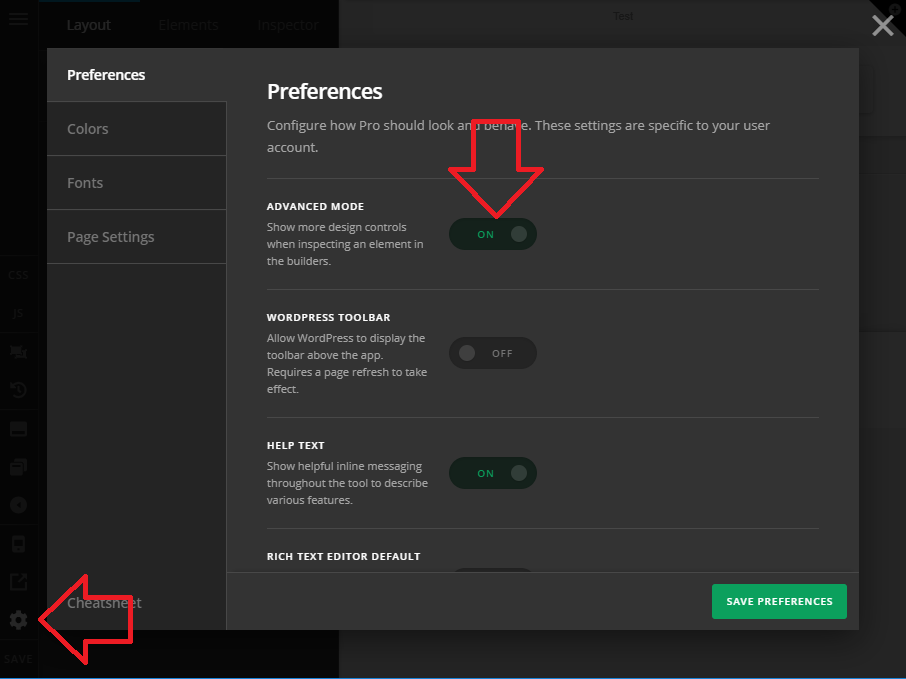
I assume you’re on X theme where Advanced mode is inactive by default, please follow this 
Please edit your page in the builder (any page, or the page where you wish to activate the parallax).
Once you’re in the builder, click the COG (gear) icon and go to preference section
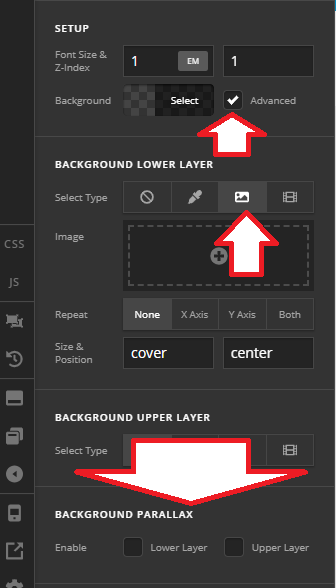
Else, please provide more details of the parallax you’re referring.
Thanks!
This topic was automatically closed 10 days after the last reply. New replies are no longer allowed.