Hover color social icons

Hello.

I’m trying to get this project off the ground and found another issue I need to resolve. I’ve looked through the forum and have tried several things but haven’t been able to fix it :frowning:

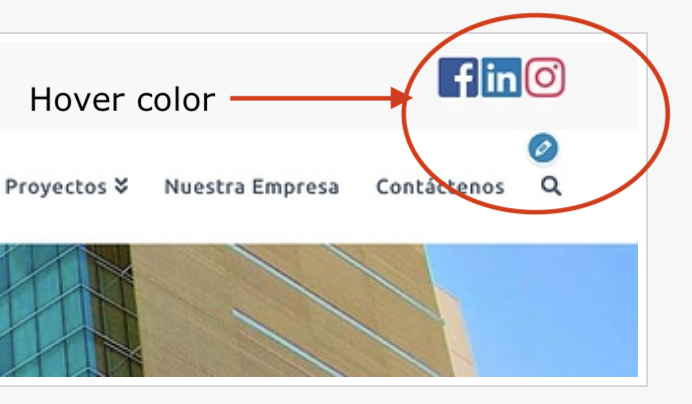
I need to change the hover color for the social icons on the top bar as well as on the footer… I just don’t know how to fix it. I’d like to hover color for all social icons at the top bar to be a “transparent” white and have it be “square” as the icons. Right now, the hover is “round”

I’d also like to make the social icons at the footer all white and have the same “transparent” white hover.

Can you please help? Thanks is advance!
Hi Jacko,

Please add this code in X > Theme Options > CSS:

.x-social-global a:hover.facebook,
.x-social-global a:hover.linkedin,
.x-social-global a:hover.instagram {
    background-color: transparent;
}

.x-social-global a:hover i {
    color: #fff;
}

Here are some related links for further reading:

Hope this helps.

Thank you very much! What about making the social icons on the footer white? The hover is resolved, but I’d like for the social icons on the footer to be white. Thanks!!

Hello Jacko,

Thanks for updating the thread. :slight_smile:

You can add following CSS under X > Theme Options > CSS:

footer.x-colophon.bottom .x-social-global a i {
    color: #fff;
}

Thanks.

Thank you so much! Lastly, those social icons on the footer have a “light white” round background, but I’d like them to have the same background color as the footer. Thanks!!

Hello Jacko,

Please try this code:

footer.x-colophon.bottom .x-social-global a {
    background-color: transparent;
}

Hope this helps.

Thank you very much for all your help! Worked great!!

We are delighted to assist you with this.

Cheers!

This topic was automatically closed 10 days after the last reply. New replies are no longer allowed.