Hello!
MY sub navigation is having problems showing up.
http://ri.ventures/website/
If you hover over “Portfolio” there should be two dropdown menus pages, and there is just a blank area.
How do I fix?
Hello!
MY sub navigation is having problems showing up.
http://ri.ventures/website/
If you hover over “Portfolio” there should be two dropdown menus pages, and there is just a blank area.
How do I fix?
Hi there,
There is this CSS code that is causing the sub menu item not to display:
.pagemenu-hide {
    display: none !important;
}
You could either remove the code from where you have added it or go to WP Admin > Appearance > Menu then remove the pagemenu-hide to the menu item not showing up.
Hope this helps.
Where would I be able to delete this code?
Hello Michael,
Thanks for updating the thread. 
Please try checking under X > Theme Options > CSS and remove the code from there. Here’s a screencast.
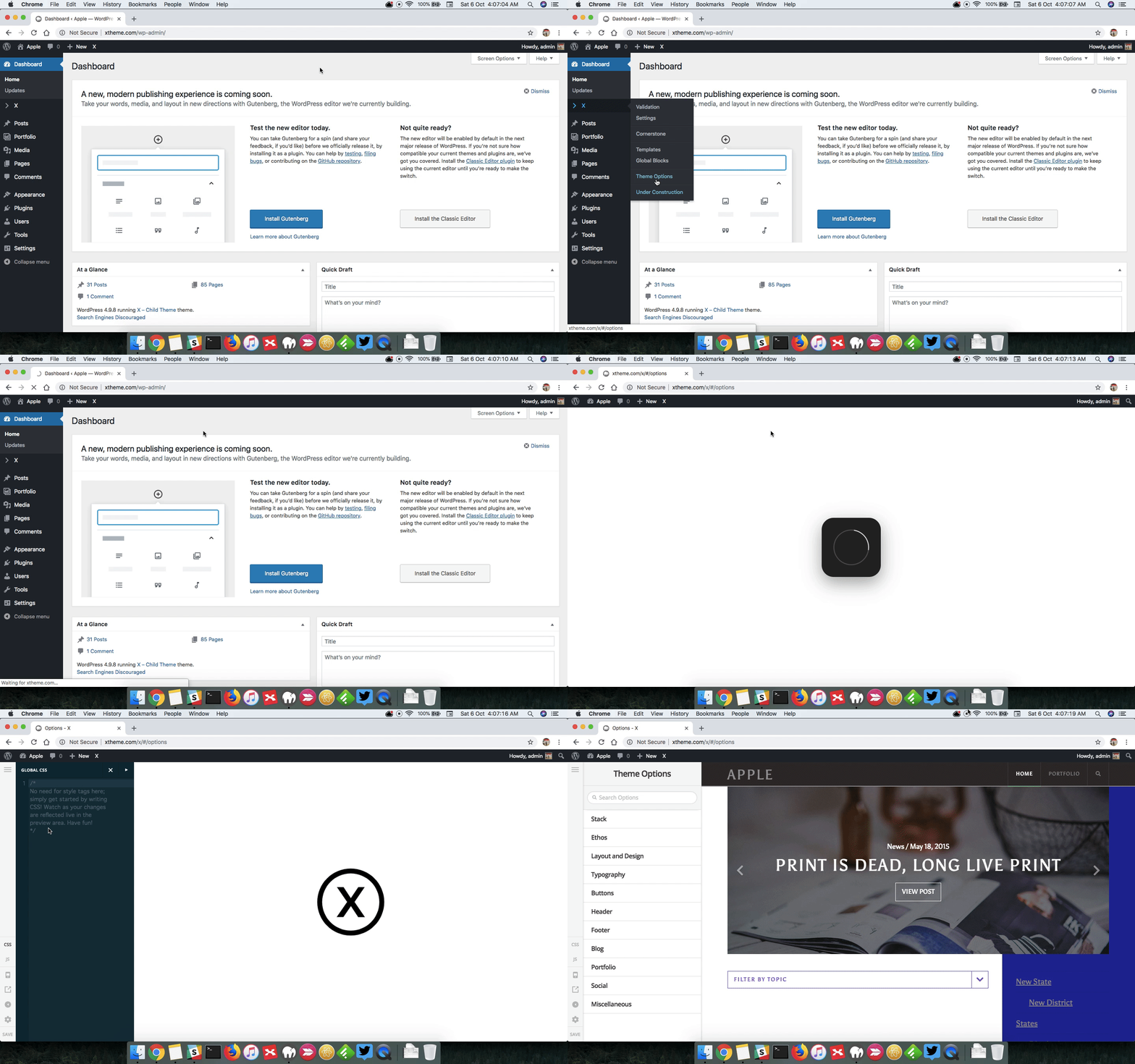
Thanks.
Thank you! I now know where to change the code, but I don’t see the code you want me to remove. It’s not in the CSS.
I have another ticket submitted regarding information not appearing in cornerstone as it should. Is there any way to verify Cornerstone is working correctly?
Hello Michael,
The code seems to be added at the footer of the page. Did you add any JS scripts or custom code in the child theme’s functions.php file? It is best that you give us access to your site so that we can find the code for you.
By the way, I can see that you have updated X theme to 6.3.1. Please update Cornerstone to version 3.3.1 as well.
Kindly let us know how it goes.
How do I update my Cornerstone?
There is no “update” by the name in pluggins. Also I don’t know where to download the latest version.
Login information below
Hello Michael,
Thanks for updating the thread. Regretfully the given credentials is not working for us. To install the new version of Cornerstone, please go to the plugins section. Deactivate Cornerstone and totally delete the plugin. Go back to X > Validation and Cornerstone should be installed automatically because it is bundled in the latest released of the theme.
Please let us know how it goes.
I was able to update Cornerstone, but still can’t find that code.
I’ll try and add the login info again
Hey Michael,
I was able to find where the code is coming from.
<style>.pagemenu-hide{display:none !important;}</style>
```

This one is being generated by Page Menu plugin. Once you deactivate this plugin, the css will be gone.

Please check that out.This topic was automatically closed 10 days after the last reply. New replies are no longer allowed.