hello, im no understand way its so #!@# complicated to stable the design in this theme

so many issue end conflict occurring with this theme…
unable to cache the site properly
the loading time of this buileder is super poor ( php memory is 1024 )
hello, im no understand way its so #!@# complicated to stable the design in this theme
so many issue end conflict occurring with this theme…
unable to cache the site properly
the loading time of this buileder is super poor ( php memory is 1024 )
Hey Gilan,
It’s not the theme that you’re having a performance issue with but your unoptimized images. If you don’t know how to optimize images yet, you can learn from our Performance article here https://theme.co/docs/how-to-improve-site-performance.
You said there’s so many issues and conflict but didn’t detail what they are. Without the details, we can’t provide a solution as we won’t know what to check. Most issues are caused by factors outside the control of our theme so please perform all troubleshooting steps listed in our Common Issues article here https://theme.co/docs/common-issues
Also, please post 1 detailed issue per thread in order to avoid confusion down the road in case the discussion would take longer than usual.
Hope that helps and thank you for understanding.
Last thing this is my 15 web sites that I’ve built with x theme. Since the wp 5.5 update the stability of the the end the time that its taking to do simple stuff are not suitable for 2020 and beyond
i dont see this image any more
client won’t take that after the web site is on the air

unable to edit this links 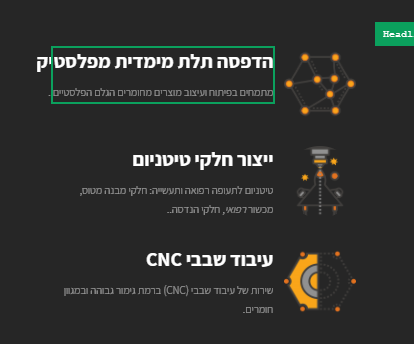
Hey Gilan,
If it’s slow in the frontend because of unoptimized images, how much more in the builder where builder scripts are added. Optimize your images please and test again.
The speed is subjective though. I’ve recorded a video of how long it takes the builder to load on my end and for me, it’s fast even given that my internet is slow (see 1st video in the secure note).
Regarding the “Edit with Pro” button, we apologize for that but it will be fixed in the next release of Pro. For, just scroll down until you see the button (2nd video in the secure note).
Regarding editing, what you’re trying to edit aren’t Links. Please clarify this.
Regarding editing the color, there’s currently an issue with the RTL layout of builder but you still can edit the color. Just hover over anywhere in the element options panel use the scrollbar to see all options.
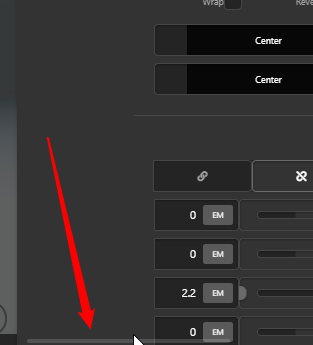
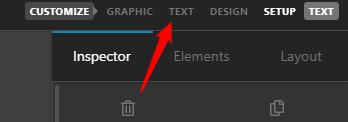
Then, click Text in the element control navigation and edit the text color.
Regarding the responsiveness, please detail what you want to achieve as everything is responsive when I checked. I also don’t see the text with scrollbar like that in your screenshot so detail what browser you’re using and also deactivate all browser extensions while you’re testing your website.
Hope that helps.
This topic was automatically closed 10 days after the last reply. New replies are no longer allowed.


