I like that the “tg-ajax-button-holder” disappears after all of the media has been loaded but I need to change it so that “tg-grid-area-bottom1” disappears instead so the grid will have a bottom margin of 0 after all the media has been loaded. How would I go about this?
Hi there,
We will be of a better help if you could give us the URL of your website which you used the Grid on. We will check the frontend and suggest proper CSS code to strip out the margin which you talked about.
Thank you
I know how to remove the margin from the start but that’s not my issue. After the grid is fully loaded and all media is displayed “tg-ajax-button-holder” disappears but I need it so that “tg-grid-area-bottom1” disappears instead. You can see the example at http://lucidnew.lpwebdesign.net/portfolio/
Hi There,
Can you provide an example or screenshots to clarify what you are trying to achieve?
Thank you
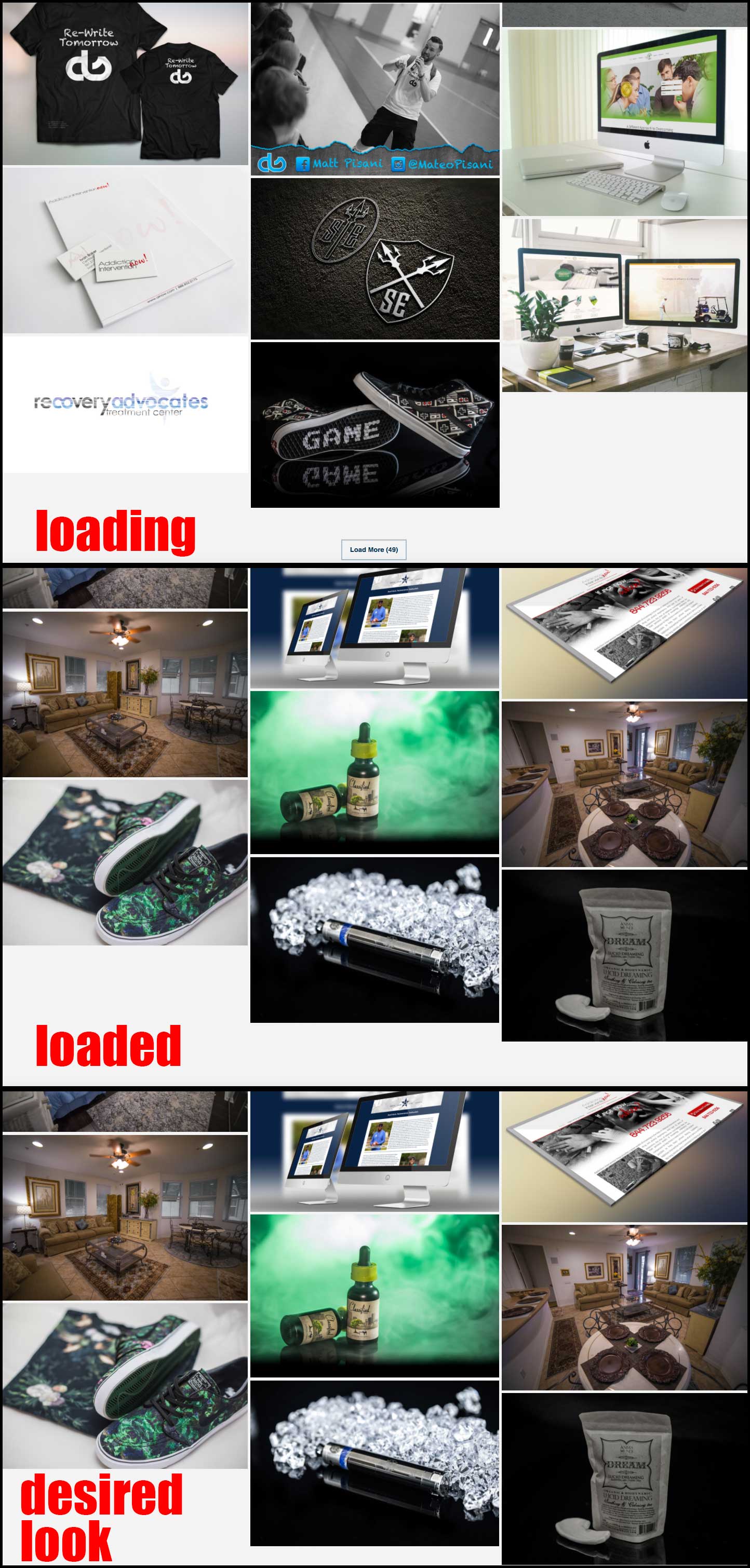
Attached is a screenshot of what I need to achieve. The loading button disappears after all media is loaded but there is still an ugly margin because of the div still showing.
After media is loaded I need “tg-grid-area-bottom1” to disappear instead of “tg-ajax-button-holder”.
Please use “http://lucidnew.lpwebdesign.net/portfolio-demo/” for a reference if needed but this issue is universal.
Hi There,
Please try adding the following CSS to Theme Options CSS
 #grid-27058 .tg-grid-area-bottom1, .tg-grid-area-bottom1 {
     margin-top: 0px !important;
}
Hope it helps!
No that doesn’t help.
Hi There,
Unfortunately hiding that area would cause to hide the button load more, so that would not be possible.
It possibly could be done with custom development but that would be out of the scope of our support.
Thank you
I don’t need to permanently hide the area. I only need to hide it after everything is loaded…just like the button already does.
Hi There,
As mentioned above it possibly could be done with custom development but that would be out of the scope of our support.
Thanks for understanding.
I contacted the plugin developer for support and they told me to contact the theme developer since it’s your responsibility. Since you aren’t able to offer any help can you provide me with a registration code for the plugin so that they can help me?
Hi There,
This is not a feature offered by this plugin and the plugin developer does not provide custom code.
If you need this functionality please hire a developer.
Thank you