Hiding Text in Navigation Inline Not Working

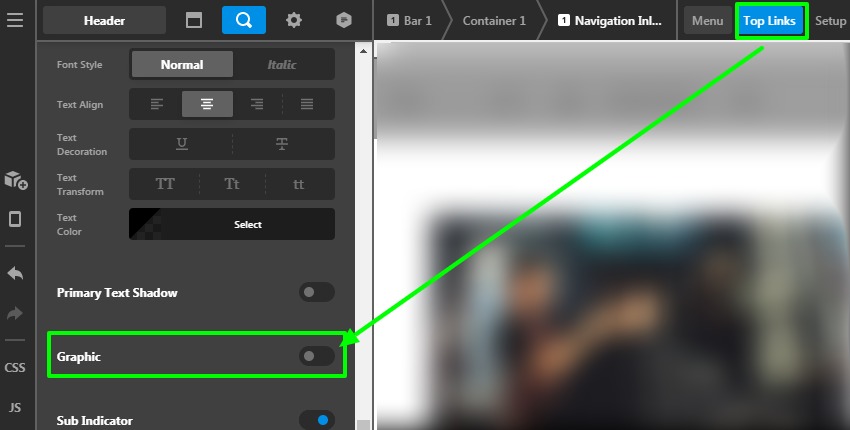
As the title says, I’d like to hide the text of Top Links in a Navigation Inline element, while keeping the Graphic Icons.

There is an option for this, but it doesn’t do anything.
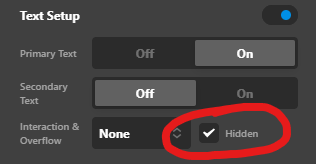
image

The reason I’d like to hide it and just remove it completely is to make sure the navigation will be compatible with screen readers. Please let me know if you can reproduce the issue.

Just for clarity, this is what I want:

image

This is what I’m getting (even with “Hidden” checked):

image

Hello @amst_ws,

Thanks for writing to us

To remove the Graphic Icon from the Navigation Inline element you need to go to the Header builder —>Navigation Inline element—>Text—>set the Graphic button as OFF

Please have a look at the given screenshot given below.

Hope it helps
Thanks

Sorry, it looks like you misunderstood me.

I want to keep the icons, and I want to hide (not remove) the text.

Hello @amst_ws,

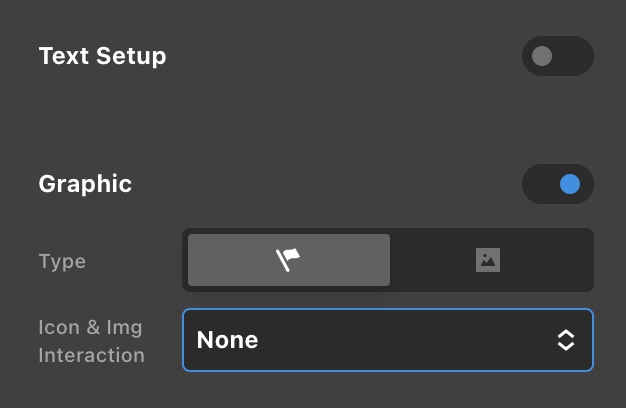
In your navigation inline element settings, go to Menu > Top Links > Text Setup. You will have to disable it so that only the graphic will display and the text will be hidden away.

Screen Shot 2021-07-11 at 8.23.50 AM

Kindly let us know if this works out for you.

That’s still not right.

I want to hide the text, not remove it. In other words, I want the text to be output in the HTML, but I want it to be visually hidden. There is an option for this as can be seen in my first screenshot, however it does not work.

Hi @amst_ws,

You need to add a custom CSS code to make the Menu Item test visually hidden but present in the HTML structure. I would suggest you add the following code into the Element CSS of that specific Navigation Inline element to acheive it.

$el .x-anchor-text-primary
{
    display: none;
}

Please remember that the above code will work if copied as it is and doesn’t conflict with any existing style.
Please note that the code provided serves only as a guide to help you get started custom coding on your own if there’s no option offered in our theme or the products we bundle.
We really do not provide custom codes that mean we can’t fix it if it conflicts with something on your site nor will we enhance it.

Thanks

Okay, that works.

I’d still like to point out that the built-in option is broken. Thanks!

You are most welcome @amst_ws

This topic was automatically closed 10 days after the last reply. New replies are no longer allowed.