Hiding background image on mobile and tablet

Hi -

I’m trying to hide the Background Image for just the “Toolbox Meetings Ready To Go” Section for mobile and tablet on this page: http://meyvnsafety.com/curriculum/

I’ve tried several of the other codes from other support tickets relating to this issue but can’t seem to get them to work - can you help?

Thanks - Steve

Hello Steve,

Thanks for asking. :slight_smile:

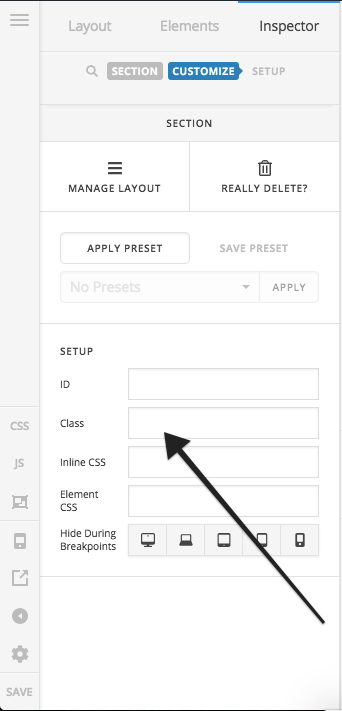
  1. Please inspect the section and under Customize > Setup give a class name.

  1. After that add following CSS under Pro > Theme Options > CSS:
@media only screen and (max-width: 600px) {
    .change-class-name {
    background-image: none !important;
}
}

Replace change-class-name as per requirement.

Thanks.

Thank you, I added it but it still not working.

Can you check it out for me?

Hello Steve,

Since you are using v2 section, please have the code updated and use this instead:

@media only screen and (max-width: 600px) {
    .toolbox .x-bg-layer-lower-image{
        background-image: none !important;
    }
}

Hope this helps. Please let us know how it goes.

That worked, thank you!

We are delighted to assist you with this.

Cheers!

This topic was automatically closed 10 days after the last reply. New replies are no longer allowed.