I’m using the Renew stack. How can I hide a page’s featured photo within the page, so it doesn’t appear right after the title? For SEO I really want the intro copy to appear right after the title…
Hi There,
Please follow these steps:
- Add the
hide-featured-imageto your pages which you want to hide the featured image: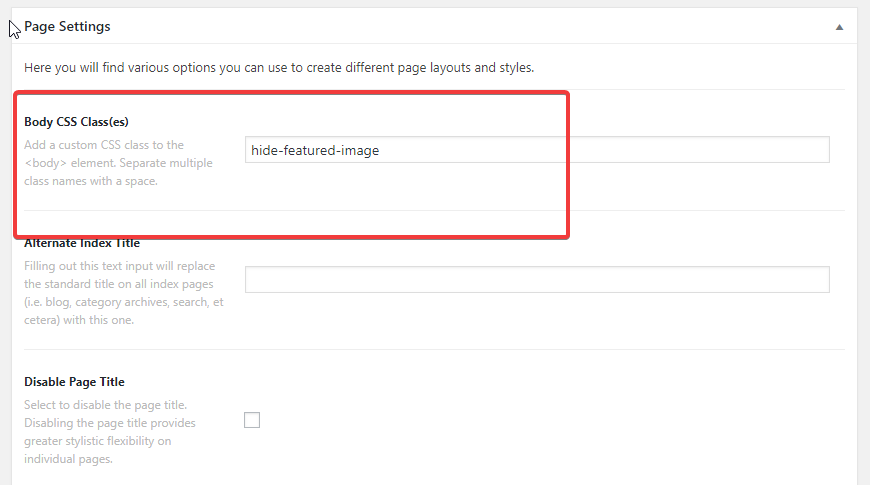
- After that add this custom CSS under
Theme Options > CSS:
.hide-featured-image .entry-featured {display: none;}
Hope it helps 
1 Like
This topic was automatically closed 10 days after the last reply. New replies are no longer allowed.