Hide Element within Shortcode

Hello,

I am using a plugin to show or hide content based on location with GeoIP. I would like to show an accordian field based on these location perameters, but show the rest of the accordian to everyone. Is it possible to encase a single accordain field in a shortcode?

Thanks,
Hi Gabriel,

Thanks for writing in! Regretfully this isn’t a feature offered by X/Pro. It could be possible with custom development, but this would be outside the scope of support we can offer. You may wish to consult a developer to assist you with this. X is quite extensible with child themes, so there are plenty of possibilities.

Thanks for understanding. Take care!

Ok, I will style it manually. Thank you.

Can I ask, how do you code the responsive sized text in the accordion uncollapsed heading? I have found the rest of it, but am struggling to find this.

Hi Gabriel,

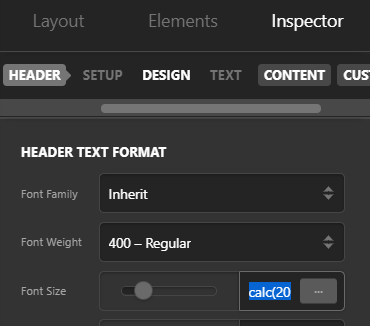
On Accordion > Header > Text, you can set the font size:

You may use the calc funtion for font size.

Hope this helps.

1 Like

Thank you, where can I find the values that the accordions on my site currently use?

Hi Gabriel,

You can check the values of the accordions by clicking each one of them. They don’t share the same values, if you change one it wont change the other, so you need to change them individually.

Hope it helps.

Mine is a classic accordion so won’t show any values.

Hey Gabriel,

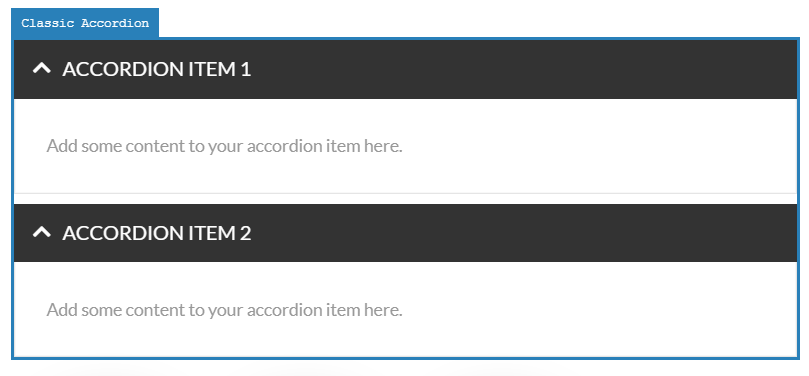
Inspect the classic accordion in Cornerstone by clicking on the element in the live preview (see screenshot)

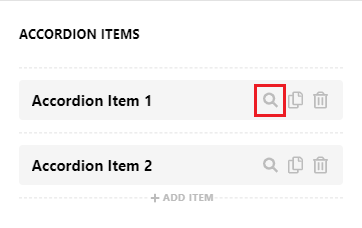
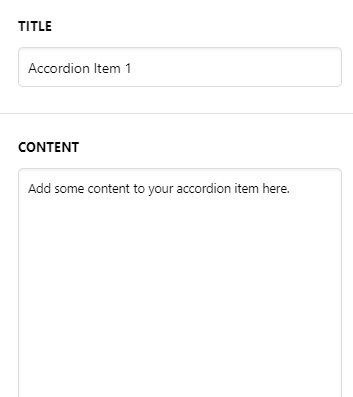
Then Inspect each of your Accordion Item to find the content (see screenshots)

If you’re using the Accordion shortcode then you can review our guide here http://demo.theme.co/integrity-1/shortcodes/accordion/

However I’d recommend you to switch to v2 Accordion element instead of a Classic one to have more controls and more customization

Hope this helps!

This topic was automatically closed 10 days after the last reply. New replies are no longer allowed.