On the latest version of Cornerstone how do I access the Hide Based On Screen Width buttons? They used to be at the bottom of a “Section” menu?
Hi @ccrsm,
Thank you for writing in, it is still under the bottom of the element configuration panel but it was renamed to Hide During Breakpoints.
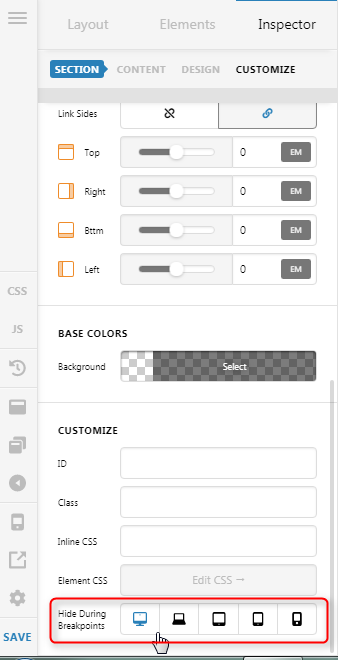
If you enable the Advanced Mode, it is under the Customize tab
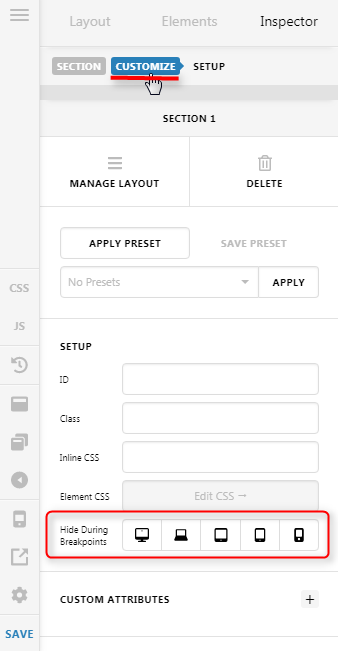

Hope it helps,
Cheers!
Found it. Thanks!
We are happy to help,
Cheers!
This topic was automatically closed 10 days after the last reply. New replies are no longer allowed.