Hero image and image in background in sections

Hi There, I want to create for a website I’m working on: http://www.jijenikopweg.deideeenbakker.nl/ a hero image header.

The image needs to be full width at the start (on opening website) with transparent header logo + links stacked.
Then after scroll the navigation bar has to turn into white (so link are visible on the website)

I tried different ways to accomplish that only nothing seems to work. I think I missed a steps or so.

Second question. Is it due an update in the theme not possible anymore to select a image as background for the section? See attached image for further details.

Thanks,

Best!
Patrick

Hello @Patrick,

Thanks for asking. :slight_smile:

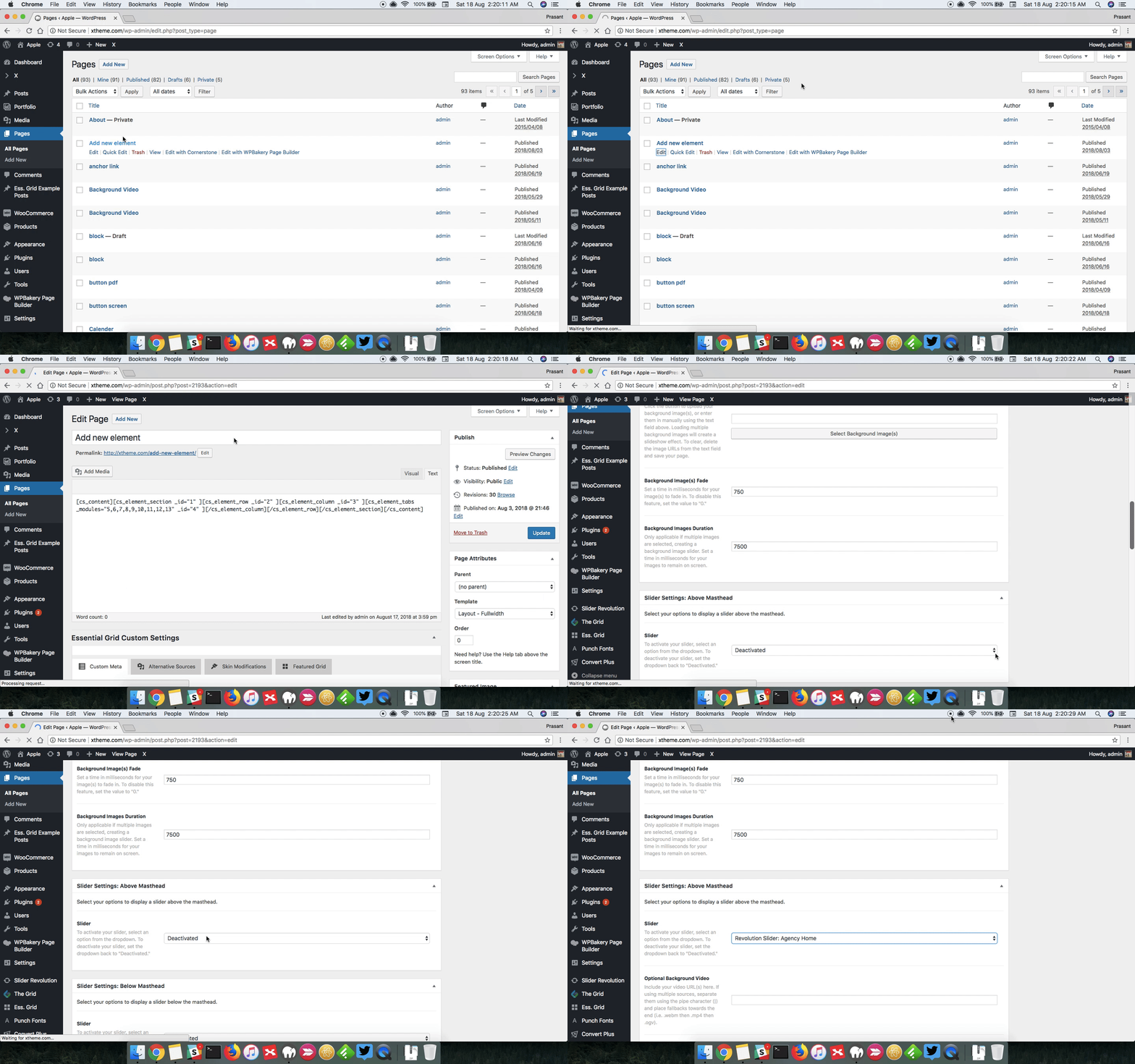
  • To have a hero image in header section, I suggest you to use Revolution Slider plugin. Using Revolution Slider you can design the layout as per requirement. After that you need to edit the page and under Slider Settings: Above Masthead select the slider you created. Here’s a screencast that you can take a look to assign slider.

  • Changing background color on scroll will require some custom development which falls outside the scope of support we offer. However, I am sharing the tutorial link that you can take a look for some help. https://michaelbourne.ca/transparent-fixed-header/

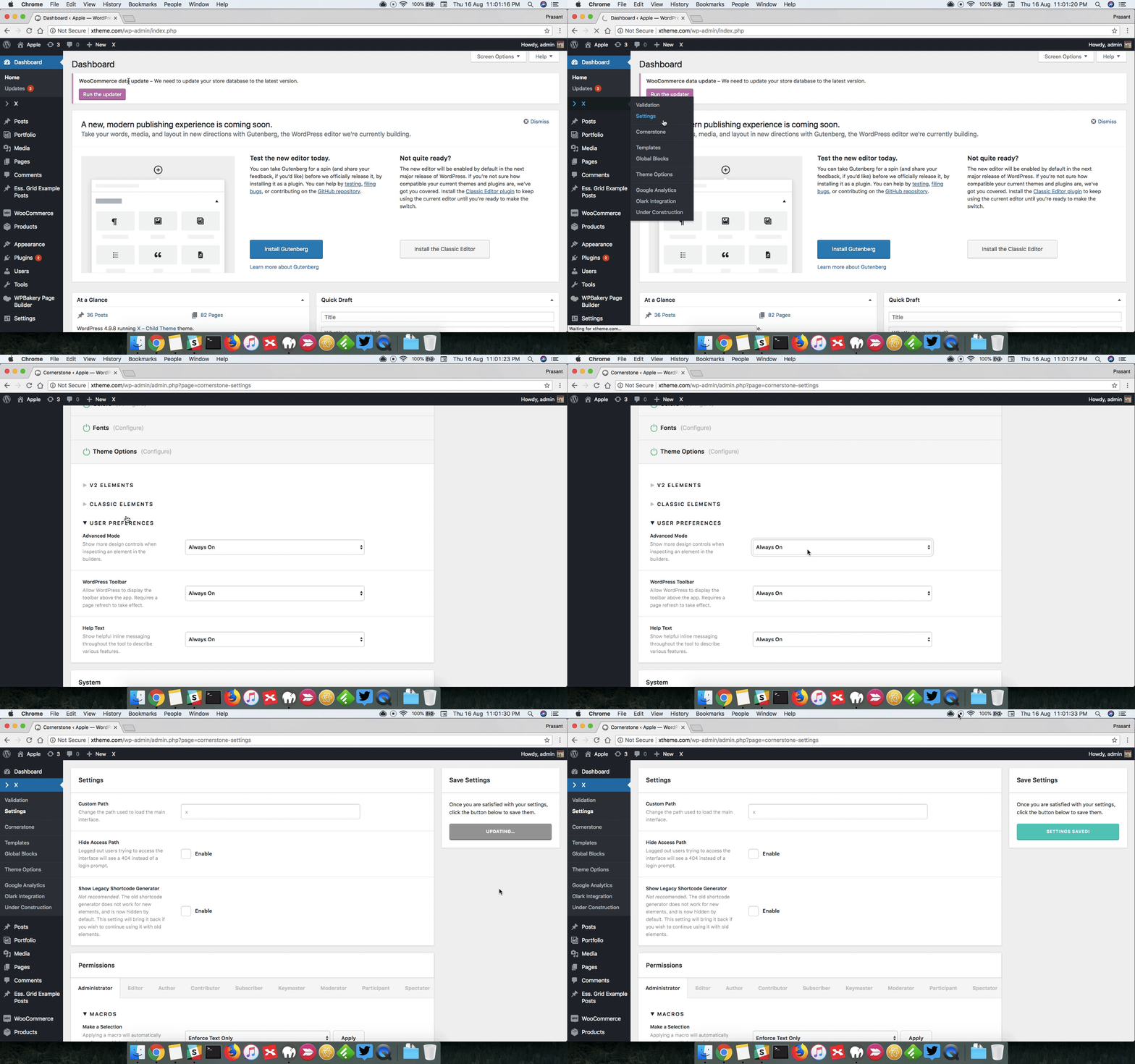
  • Section Image background: You need to turn on Advanced Mode from X > Settings > Permissions > Advanced Mode. Here’s a screencast.

Thanks.

This topic was automatically closed 10 days after the last reply. New replies are no longer allowed.