Help with text size issue

Hello!

I’m wondering if you could help me with the text size of one of my new pages: https://crisisequipped.com/book

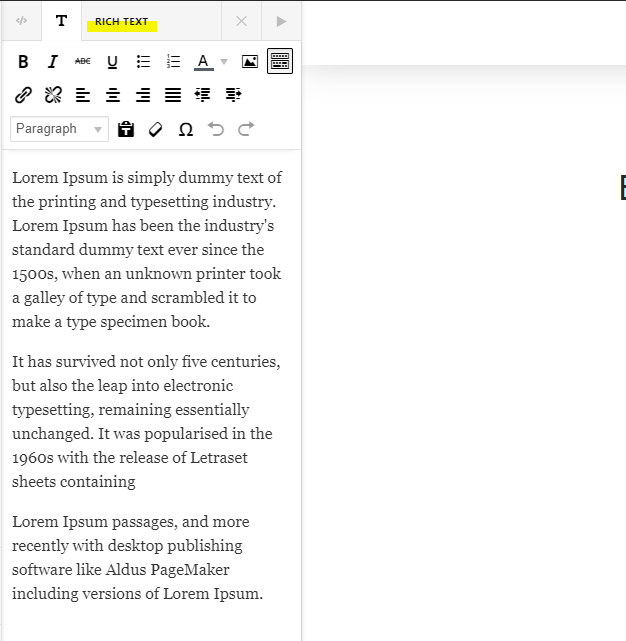
Even though I keep increasing the size of the text, it keeps showing up very small on desktop. It looks like this:

That text is size: 1.25 em but looks super small on the front end. On the back end it looks much bigger.

I want the font size to look like my blog font, which looks like this:

The text on my blogs is 1.14 em.

Please help me figure out a solution to this. Thank you!
My website is crisisequipped.com

-Nadia
Hey Nadia,

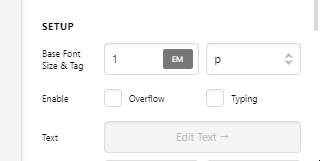
That happens because your Headline element setup uses a p or paragraph tag but then you have paragraphs inside it.

image

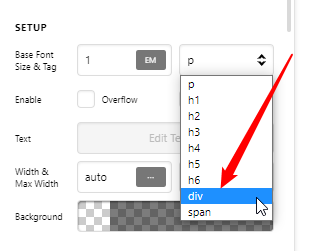
You could be using the Rich Text editor inside the Headline element. WordPress automatically adds tags in the Rich Text editor so it’s best not to use that if you’re using a Heading (i.e. h1, h2, h3, etc.) or a Paragraph tag. It’s ok if you use a Div tag.

image

Hope that helps.

Ahhh I’m such a dum dum.
That makes sense- I duplicated the header element and forgot to use the text element. I changed it and now it looks perfect! Thanks so much!!

Hi Nadia,

You’re welcome and it’s our pleasure to help you. If you have any other concerns, feel free to reach us.

Thank you.

This topic was automatically closed 10 days after the last reply. New replies are no longer allowed.