Help with loopers and ACF pro

Hi have a project post setup using ACF custom field.

Now I have it all setup working using this structure:

Section ← Looper Provider (WP Query → Specific Post (name of project))
└── layout-row ← Looper Consumer ON
└── left column (text/button)
└── right column (cover images)

layout-grid ← Looper Provider: {{dc:acf:post_field field=“project_gallery”" post=“308”}}
└── layout-cell ← Looper Consumer ON
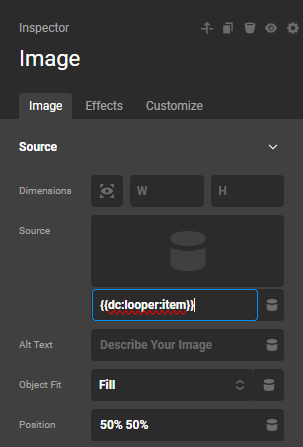
└── image ← {{dc:looper:item}}

However, I don’t want to keep adding in the specific post id every time i add a project, just the root (Section ← Looper Provider (WP Query → Specific Post (name of project)))

So I tried {{dc:acf:post_field field=“project_gallery” post=“dc:post:id”}} which doesnt work…

Is there a string that could maybe have id=current or something?

Also, the top grid should act like the below grid here: https://ohlalab.com.mx/branding/ but its not.

Hello @Oriol,

Thanks for writing in!

The Looper Provider is set in the Section element. You can nest the other Looper inside the Looper Consumer. For example:

Section ← Looper Provider (WP Query → Specific Post (name of project))
       Row ← Looper Consumer
          Column 
               Row 
                    Column (text/button)
                     Column (cover images)

             Grid ← Looper Provider: {{dc:acf:post_field field="project_gallery" }}
                  Cell  - Looper Consumer
                       Image - {{dc:looper:item}}

Hope this makes sense.

Hi, thanks, but if I set it up like the above, the images dont come through, I have to include the posit id as I mentioned above. As you have it Id love it to work, so Im only putting in one looper provider with the post name, and the rest feeds in, but I cant seam to get it working.

Also, to have the grid working like the one at the very bottom, will the image have to be a background of the cells, so it works with the cell layout i have?

Would you mind taking a look? Login in secure note.

Hello @Oriol,

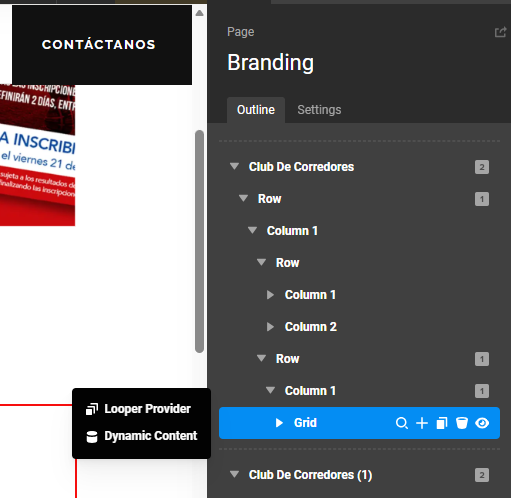
You do not have the same structure. The Grid element is outside the Looper Consumer:

The correct way should be:
image

Both the 2-column row and the Grid will be inside a parent Row element.

Use {{dc:looper:item}} to display the portfolio gallery image item:
image

It should display like this:

Hope this makes sense.