Help With Custom Creative CTA

When I add the custom creative CTA element it looks like this https://imgur.com/sHqGoFv

Of course I want it to be across the full page like this https://imgur.com/eQPamxQ

I’m sure I could change the background of the section it’s in to match the CTA, but is there a better way?

Hope you can help. Thanks :slight_smile:

Hello Mark,

Thanks for posting in!

To resolve your issue, please follow these steps:

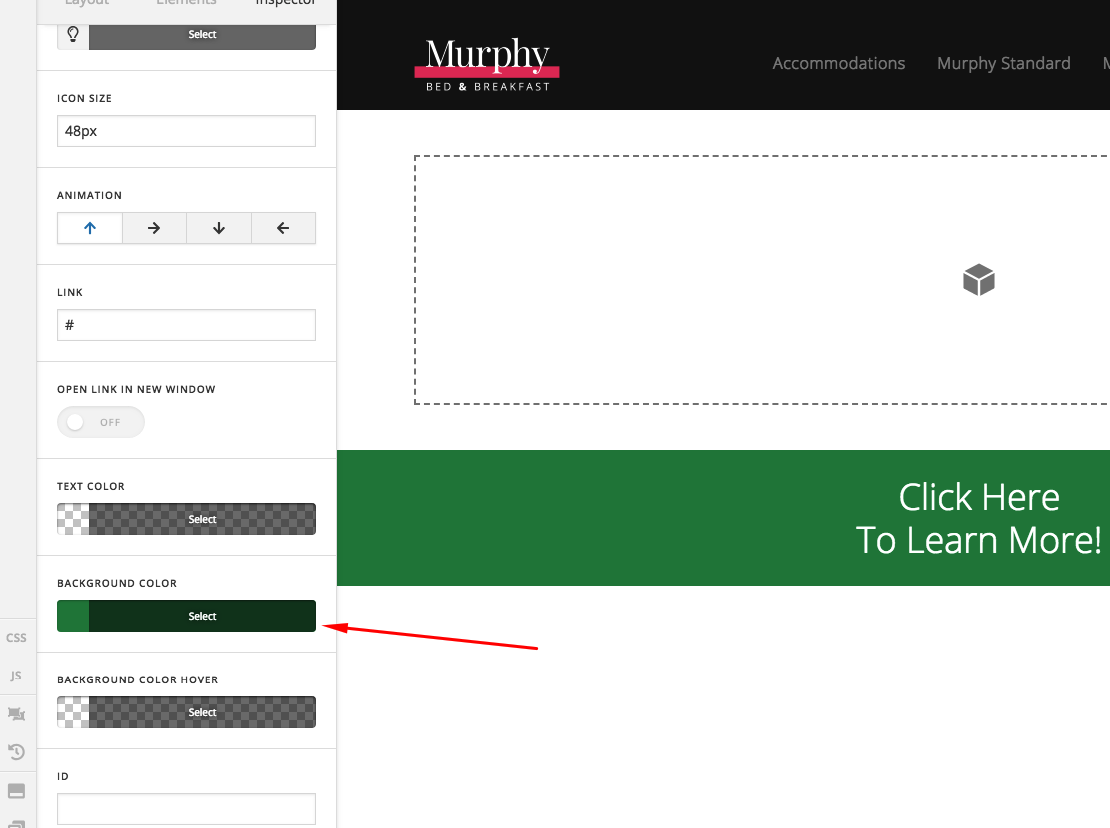
  • In your CTA element settings, find the background color picker to change the background color and the test color too.

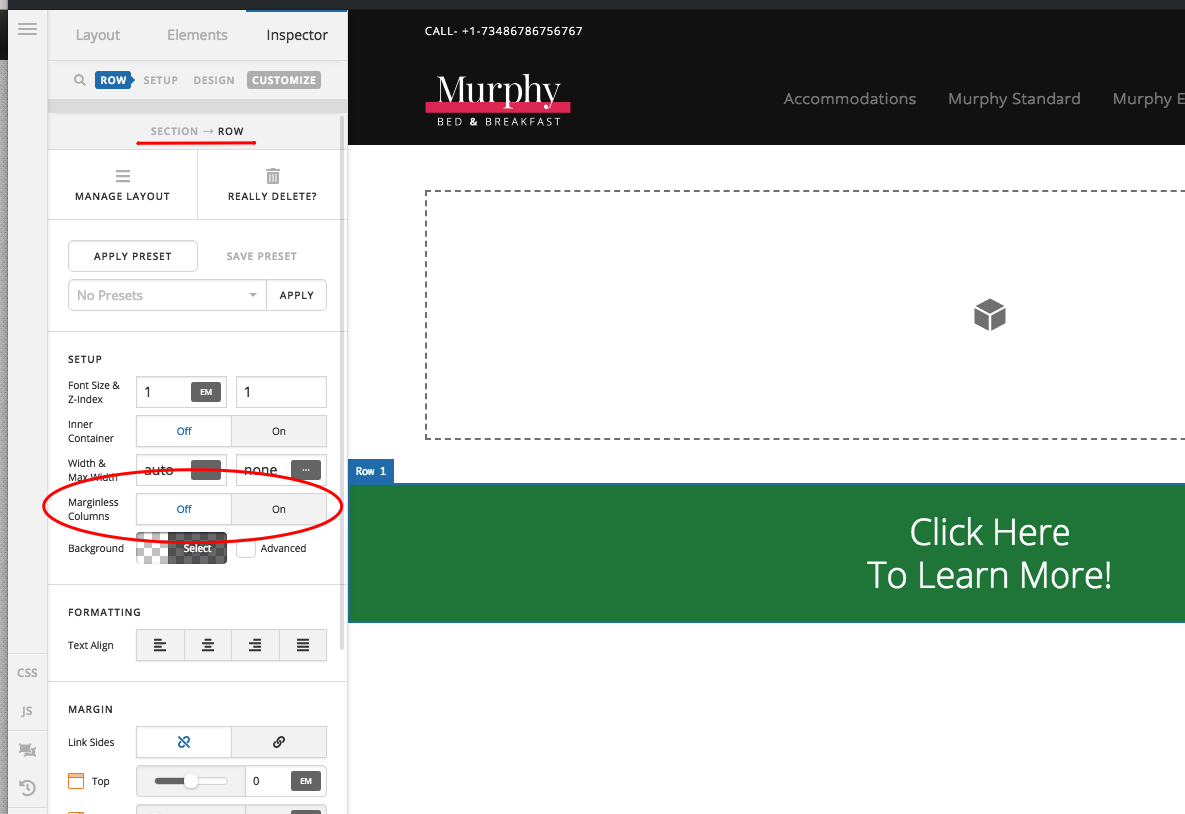
  • Go and find the row settings and disable the “Inner Container” option.

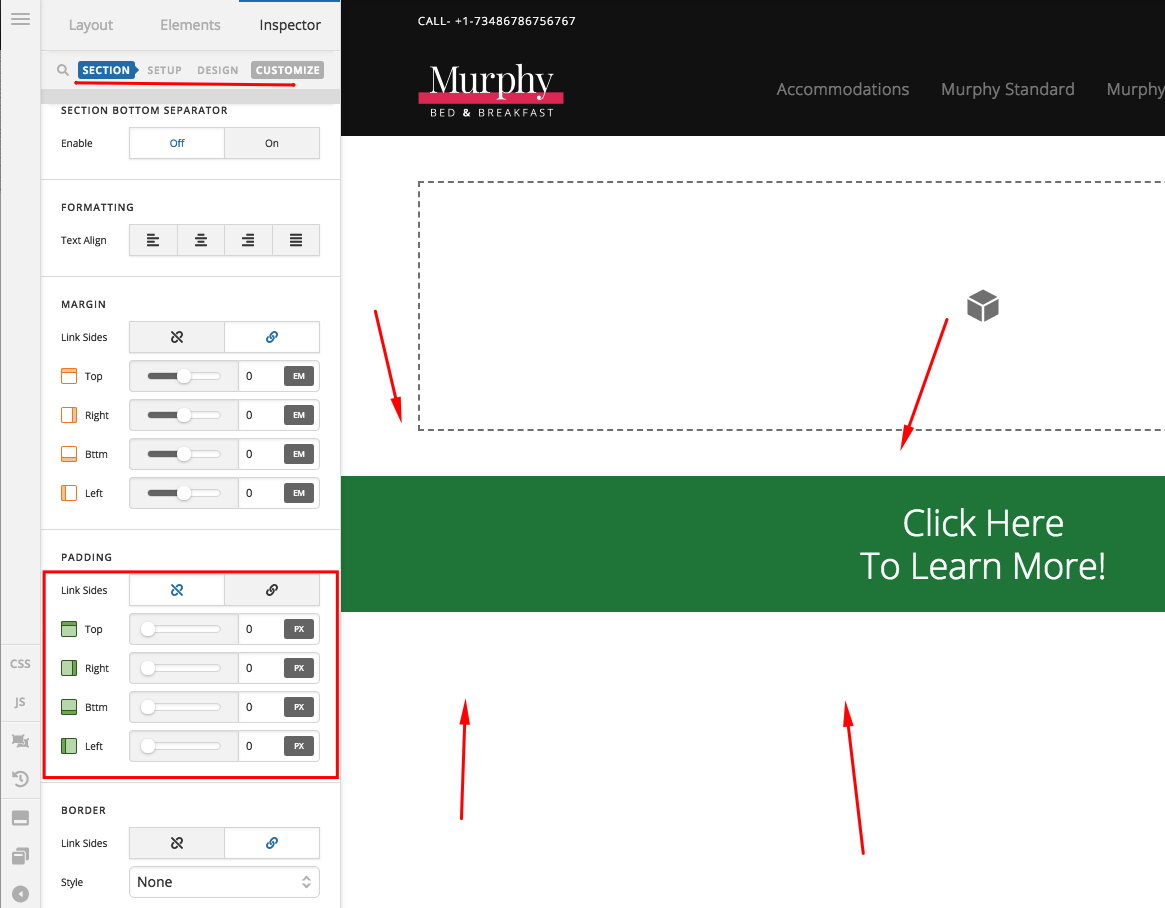
  • Go and find the section settings and make sure that there are no paddings to make sure that you will have a fullwidth width section CTA element.

Hope this helps.

1 Like

Thank you! I had to enable advanced settings in order to change the padding :slight_smile:

Hi Mark,

Yes, that is correct. You will have to enable the Advanced Mode option in the settings in order to have the complete options in Cornerstone.

Cheers!

1 Like

This topic was automatically closed 10 days after the last reply. New replies are no longer allowed.