HELP! The footer looks like a sidebar on the main page!

site: http://vintagebeauty.hu/
X theme 5.2.2 with child theme
WordPress 4.8.2
cornerstone: 2.1.3
It happened two times yet (on another site: http://drvargazsombor-plasztika.hu/ ), that times I only canceled the footer as option on those pages. But now, it happened on the main page, and I need the footer on it.

On the editor view everything seems to be ok, but after saving I see this:
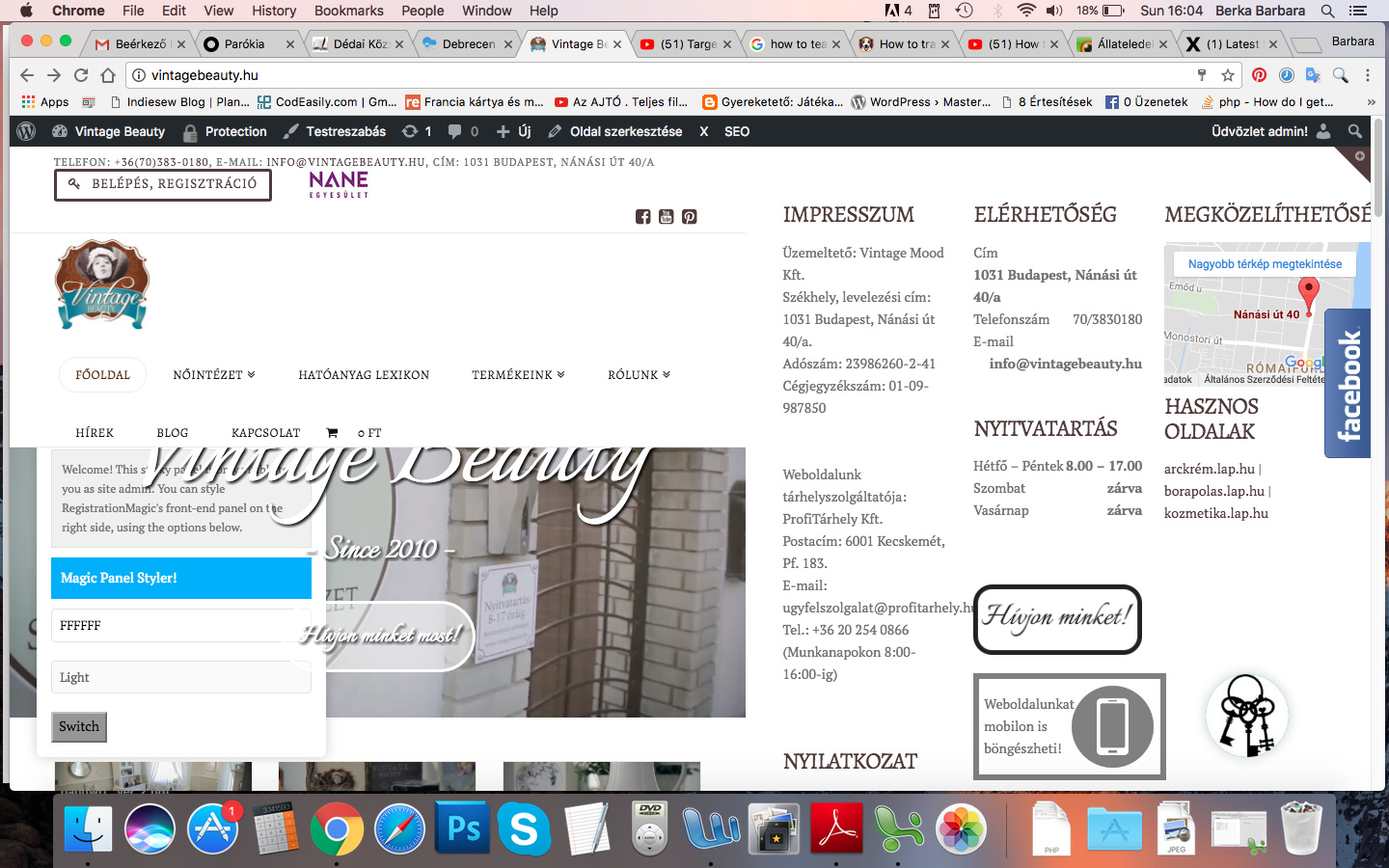
Why is it happening?

Now I canceled the footer on this page, because it looks like a mess like this… :frowning:

Hi there,

Please check the contents of the page and check if there are no missing closing HTML tags like </div> and </p> because this causes a layout issue on the page.

Kindly also try to check for plugin conflict as this might also cause this issue.

If you have done what was mentioned and the issue persists, kindly provide us with your admin details in a Secure Note so that we can check.

Thank you.

1 Like

Hi!

thank you for helping!

I didn’t find the problem’s cause. Can you help? I made a Secure Note.

Barbara

P.S: If you see the site, please answer me another question. Why I doesn’t see the breadcrumbs, only on mobile view. It seems the navbar hide it…
Thank you

Hello There,

Thanks for providing the information.

1.) Your footer is broken because you have inserted invalid html code.


You will need to make sure that you properly closed your html tags or else it will messed up your page layout.

2.) Your breadcrumbs is hidden behind the navbar because you only set 60 pixels as the Navbar Top Height. The actual height of your navbar is 145 so please go to X > Launch > Options > Header and set the Navbar Top Height to 145 pixels instead.

Please let us know how it goes.

Thank you so much!!

You are most welcome!