Help! Save me from an awful theme

Hey! So I always use Xtheme and when someone wants another theme I just recreate it with Xtheme. But the only thing that is keeping me from using X at the moment is the stupid little blue banners that I cannot for the life of me duplicate!

If you go here: http://lionessdefever.com/

You will see them all over. They are in the heading tags above the sidebar widgets and in all the blog posts. Do you have any idea how I can duplicate this???

Ive been messing with css on my own site here palilastudio.com/test but cannot duplicate the little banner.

I realize this is not typical support. But please save me from this theme. I miss X!

Rena
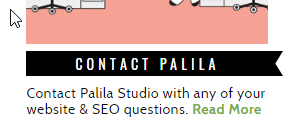
Hi There,

Please try adding this custom CSS under Theme Options > CSS:

h4.h-widget {
    position: relative;
}
h4.h-widget:after {
    content: '';
    position: absolute;
    right: 0;
    border-style: solid;
    border-width: 12.5px 8px 12.5px 10px;
    margin-right: -15px;
    height: 100%;
    width: 0px;
    border-color: #000000 transparent #000000 #000000 !important;
    top: 0;
}

Hope it helps :slight_smile:

Thank you so much! I am almost done recreating the them using X. The code you gave me worked perfectly for the sidebar. But on the posts its not lining up. I cant figure it out. I tried adding a negative margin on top but it was only working on some posts. Do you know why its not working?? If you go here, on the titles above the posts you will see as you make the screen bigger and smaller its a bit off.

http://f8j.16e.myftpupload.com/

I really want it to look like the category titles shown here on the posts: the blue flags: http://lionessdefever.com/

TIA,
Rena

Hello Rena,

Please have your code updated and use this:

h2.entry-title {
    position: relative;
    margin-left: 6px;
    width: 350px;
    height: 40px!important;
    background-color: red;
    z-index: 1;
    background-color: #a0000;

    border-style: solid;
    border-width: 12.5px 8px 12.5px 10px;
    margin-right: 55px;
    height: 100%;
    border-color: #a00000 #c859d000 #a00000 #a00000 !important;
}

h2.entry-title::after {
    content: '';
    position: absolute;
    right: 0;
    border-style: solid;
    border-width: 20px 8px 20px 10px;
    margin-right: -15px;
    height: 100%;
    width: 0px;
    border-color: #aa0000 transparent #aa0000 #aa0000 !important;
    top: -12px;
}

Hope this helps.

This topic was automatically closed 10 days after the last reply. New replies are no longer allowed.