Help Fixing Mobile Version?

Hi there,

Just wanted to see if I could get help with sorting out my site (waltonmaslow.com) for mobile - it looks terrible!

The nav bar area needs the following changed:

  1. Fixing the spacing between the button/revolution slider and the nav bar
  2. Lowering the height of the nav bar - looks totally disproportionate to the slider
  3. Moving the menu lines to the left and making it white

Add the body needs the following changed:

  1. Moving the image to the centre
  2. Fixing the text so it’s in screen width
  3. Put space between the image and the text

Unfortunately, I haven’t got a clue about how to do either!

Any help would be much appreciated, thanks :slight_smile:

Hi,

The nav bar area needs the following changed:

Add the code below in Theme Options > CSS

@media (max-width: 979px) {
.masthead-inline .x-btn-navbar {
    display: block;
    float: left;
}
.masthead-inline .x-btn-navbar .x-icon-bars {
    color:#fff;
}
}

Add the body needs the following changed

Add bottom margin to your image element.

Remove the fix width of your row element

width: 850px;

Hope that helps

Hi Paul,

Thanks for getting back.

I’ve tried doing what you said and unfortunately, the height of the nav bar is still too high, and the gap between the slider and the nav bar hasn’t changed. When you check the website on an iPhone (not just within Cornerstone), this is what you see:

Everything else you suggested worked perfectly though, so many thanks! Would appreciate help on the nav bar area :slight_smile:

Hi Jonatan,

The problem is the scaling of the button and it’s not responsive. You’ll notice the slider’s size and texts are changing, but not the button so it became bigger when the slider turns smaller.

Adding gap between navbar and slider will just add white space and the button stays on the same position (slider bottom’s zero offset).

Please check this https://www.themepunch.com/revslider-doc/layer-responsive-behavior/ and make sure your button is responsive and able to scale up and down.

Thanks!

Hey Rad,

Many thanks for the tip on the button - that worked perfectly.

How can I now change the height of the nav bar? It’s massively out of proportion, still.

Thanks :slight_smile:

Hello Jonathan,

Thanks for updating the thread.

Please add following CSS under X > Theme Options > CSS:

@media only screen and (max-width: 600px) {
    .x-navbar-inner {
    min-height: 80px;
}
}

Thanks.

Hey Prasant,

Amazing, it worked, thanks!

The very last thing I wanted to ask is how to fix this, pls:

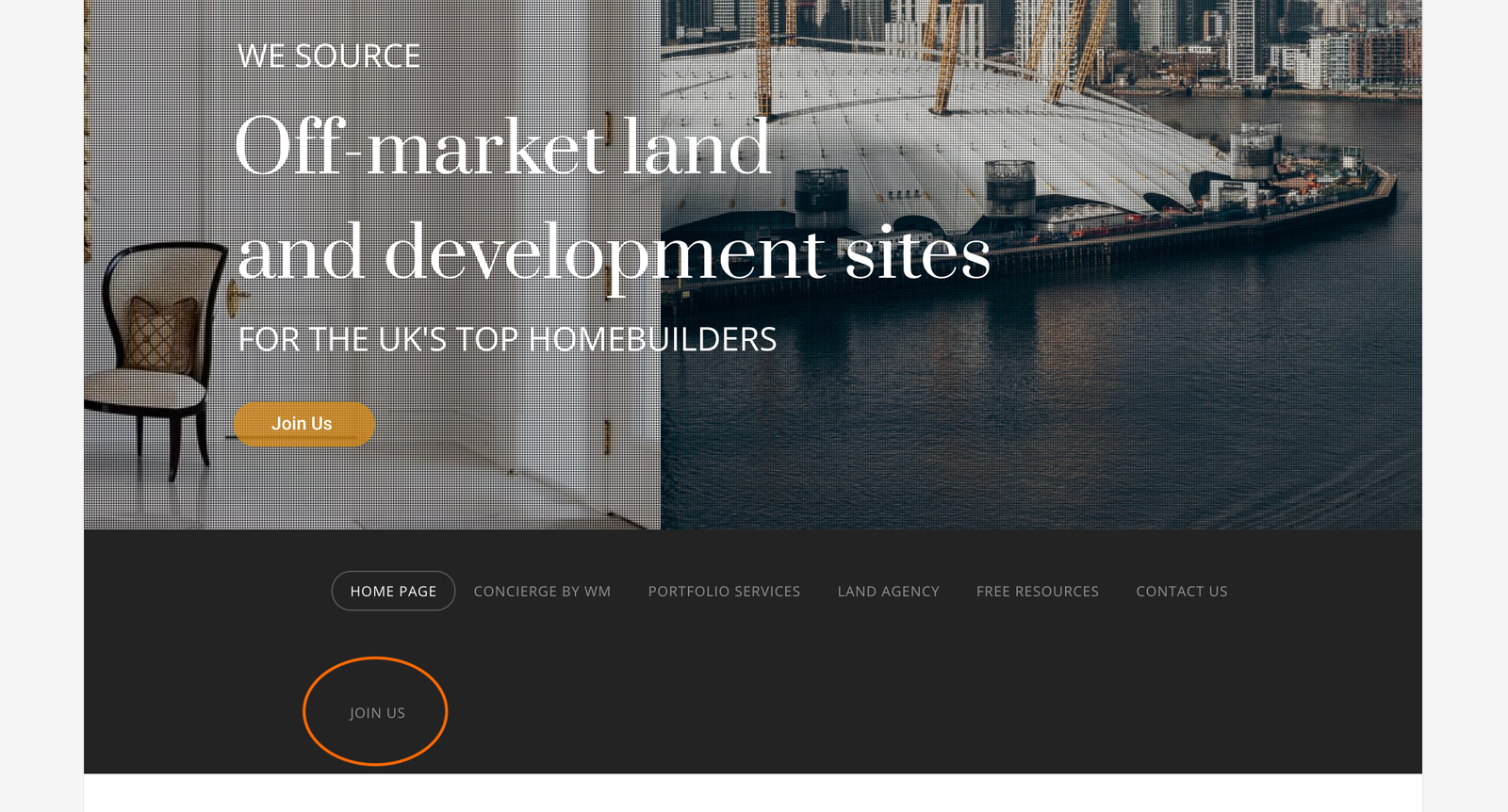
How do I make the nav bar keep the added button “Join Us” in the same line with equal space at the ends of the nav bar?

(I’ve removed it for the time being, btw just so if vistors see the site it doesn’t look so bad)

Hey Jonathan,

Please add the following CSS code in the X > Theme Options > Global CSS (http://prntscr.com/evui3r) and then add again the menu item.

.x-navbar .x-container.max.width {
    width: 90%;
    max-width: 1100px;
}

Please let us know if this works out for you.

Worked great - cheers!

Cheers! :slight_smile:

This topic was automatically closed 10 days after the last reply. New replies are no longer allowed.