Headings error and responsiveness

Hi Support,

Something weird is going on with my site.

I added fonts to the fonts manager. Open sans for body and PT Sans for Headings.

For headings I selected weight 700. This is not visible when I add h1,h2 etc to a headline text.

Also, the h-tags were all the same size. I changed that with this css and add font weight:
/* headings */

h1, .h1 {
font-size: 2.4em !important;
font-weight: 700 !important;
}

h2, .h2 {
font-size: 2.1em !important;
font-weight: 700 !important;
}

h3, .h3 {
font-size: 1.9em !important;
font-weight: 700 !important;
}

h4, .h4 {
font-size: 1.7em !important;
font-weight: 700 !important;
}

h5, .h5 {
font-size: 1.5em !important;
font-weight: 700 !important;
}

h6, .h6 {
font-size: 1.1em !important;
font-weight: 700 !important;
text-transform: none;
}
/* Einde header settings*/

It annoys me that I have to make it !important.

The big problem is that not all the pages to over that css, even though it is !important.

Please check it out for me.

Thanks in advance!

PS: See secure note for link and credentials.
Hi There,

Font size adjustment doesn’t need custom CSS. I checked your site and the header elements are working fine in the editor. You can adjust font size and font weight there without adding custom CSS.
Please check this screencast video.

Can you please remove all custom CSS for heading and try again.

Thanks

Yes I understand what you are doing. Except some pages take over the css, others don’t.

Are you telling I have to manually give each and every headline a specific font size? Even though it’s all the same h-tag?

If you set it as h2, it should display the h2 font size, right? And not give every individual headline a specific font size.

Hi There,

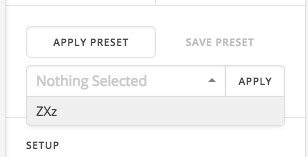
You don’t need to give the font size to each and every element, if you will use a preset feature for the heading and apply the preset to each and every heading it will take over the style despite wether it h1 or h2.
That doesn’t need a custom CSS.
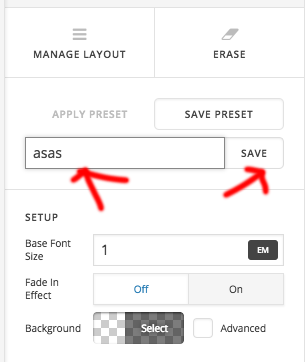
Create one heading with your required size and weight even color, after that save this as preset,

After that, you can apply this preset to anywhere on the site. Just select the heading and apply the preset it will take over the existing style to the preset style.

Hope this helps!

This topic was automatically closed 10 days after the last reply. New replies are no longer allowed.