How to I access the CSS to edit the header widget rea colors (accessed at the top right hand of the site with the + icon)?
Thanks…we launch tomorrow! ::: nerves :::
How to I access the CSS to edit the header widget rea colors (accessed at the top right hand of the site with the + icon)?
Thanks…we launch tomorrow! ::: nerves :::
Hi @ABWosp,
Thanks for writing in.
First, would you mind sharing us a screenshot of what part of the header widget that you want to change.
You could add CSS, In your Pro/X > Theme Options > CSS.
For example: // This will change your icon widget color.
 .x-btn-widgetbar {
    color: rgba(0, 255, 43, 0.5);
}
Hope it helps.
Let us know how it goes.
Thanks.
It’s the text in the drop down at the top (in the very topmost right hand corner there is a plus to access the header widget area)…it’s the blue text
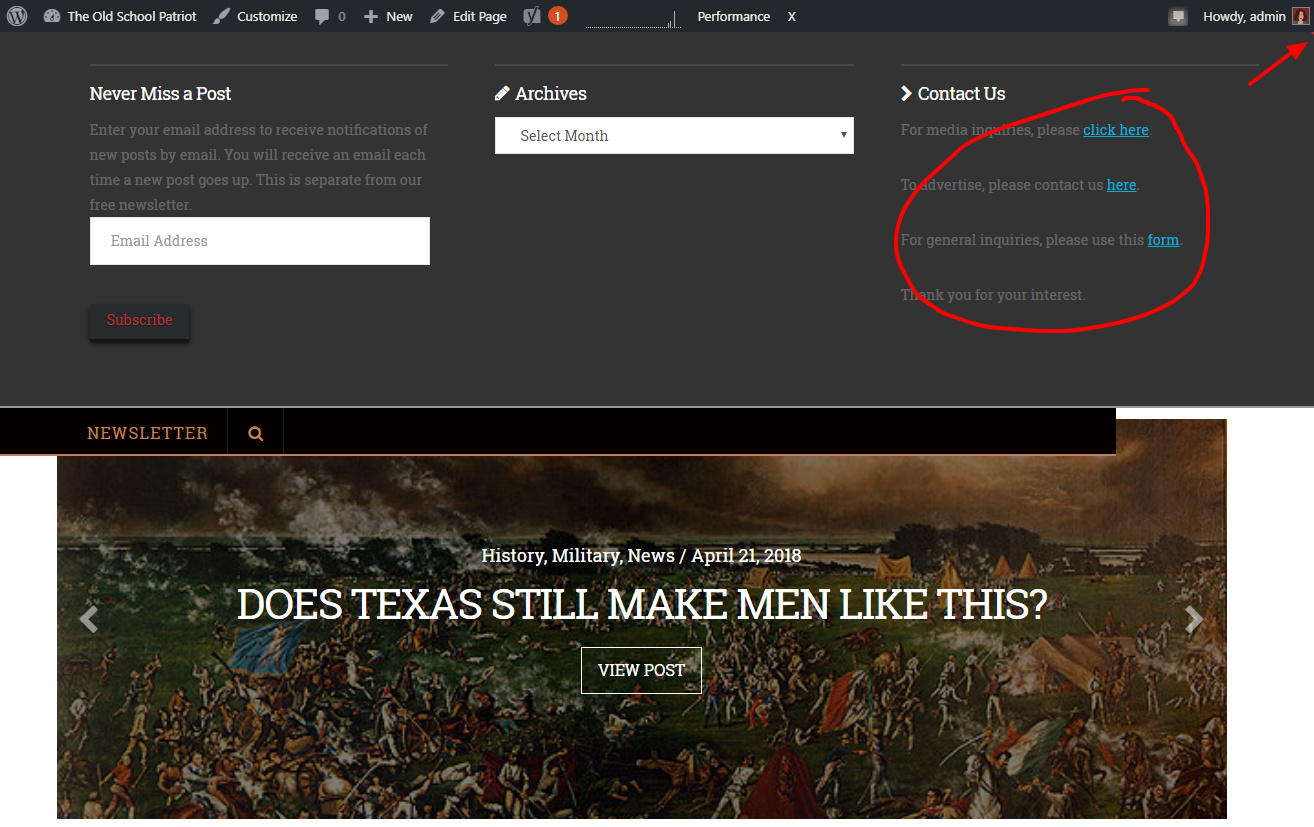
Hi @ABWosp,
Thanks for the screen shot.
Use this CSS below to adjust the color of your link in header widget.
 h-widget a {
    color:#FFF;
 }

 h-widget a:hover {
    color:#FFF;
 }
If still not changing, please share us your URL so we could check the class closer.
Hope it helps.
Let us know how it goes.
Thanks.
Nope, it didn’t work, but I just went live, so I need to stick with it for now and just deal with the small imperfection later…
Hi There,
Please try with this custom CSS instead:
.widget_text a {
    color: #b13535;
}
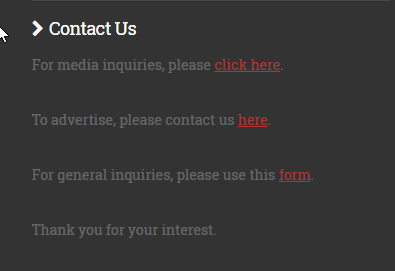
Hope it helps 
Beautiful, Thai! Thank you!