Hi.
I am working on this page. https://rosenhanska.se/rosenhanska-2/
I have changed to Renew to be able to change the background color of the header and navbar.
However. The navbar seems to be placed a few pixels above the first section of the pages.
The first section is placed behind the navbar - i have a slider in the first section which works pretty well - but it causes some confusion to being forced to have a “blank” section with no content and then place content in the second section.
A little bit hard to explain but let me know if you need more information.
Tomas
Hi Tomas,
Thanks for reaching out.
I have checked the page URL but unable to recognize the problem you described here. Can you please provide any screenshots marked with the issue or any video that helps us to recognize the problem?
Thanks
Understand - a little bit hard to explain.
The first picture shows where section one is - partly hidden behind the topbar and the navbar (I had to create a gap in the section in order to move it down so that it would not be completely hidden). The second pictures shows how it looks if I make the navbar transparent.
So - what I would like is for section one to be placed underneath the navbar and not behind.

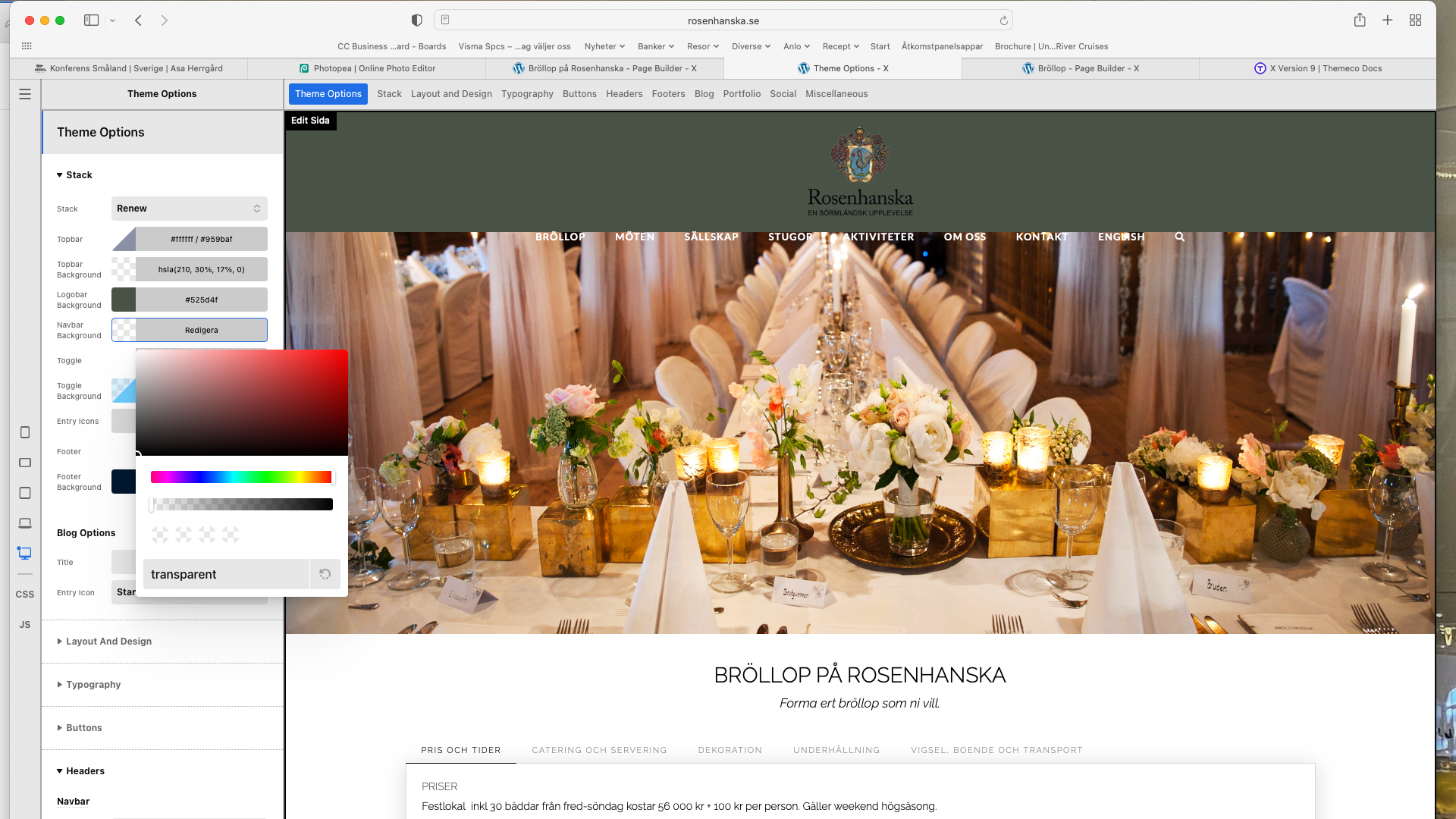
Hi Tomas,
It is clear what you tried to mean before. I investigate it further and found that the custom CSS set the Header position to absolute and that is the reason behind your problem. I would suggest you check and remove that code, it will create a gap between header and the first section, which can be removed by setting the section Top Margin to 0.

Section Top Margin:

Hope it helps.
Thanks
Perfect and thank you.
But how do i remove the Header css code?
Tomas
Is it this code that I should remove?
.masthead {
position: absolute;
width: 100%;
}
Hi Tomas,
You just need to remove the position: absolute; from the code.
Thanks
This topic was automatically closed 10 days after the last reply. New replies are no longer allowed.