Header Social Icon Tweaks

Hi there,

I have placed a number of social icons in my header (www.eurasianwhispers.com) by creating a content area and then adding the shortcodes for the standard icons. I just had a number of questions:

  1. Does theme really not provide an ‘Instagram-square’ style icon, like it does for all of the other social media websites? As you can see from my website, the standard Instagram icon doesn’t quite fit in with the rest of the icons. It just seems weird that you would do all of the others but miss Instagram out…

  2. Would it be possible to push the element with all of the social icons up a little bit, but without moving the text below it at all?

  3. Do you who additions I need to add to the social icon shortcodes in order to change: the interaction background colour, the interaction colour, and how I can make a link?

Thank you,
EW
Hi there,

  1. The icons we use are the replicate of the Font Awesome library with few changes on how to implement the icons to fit our theme structure. The Font Awesome also does not have the square Instagram icon:

http://fontawesome.io/icons/

I will inform our development team regarding this to see the possibility to add extra icons other than the default Font Awesome based ones.

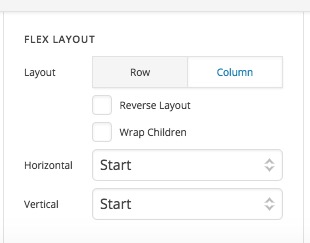
  1. Kindly go to the container which wraps the Text and the social icons and set the Flex property to start:

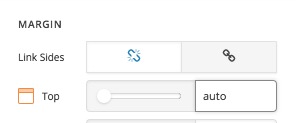
Then go to the Text Element and set the Margin Top property to auto:

That will push the text to the bottom of the container. Then you can use the Margin and Padding properties of the social media container to change the place of the container without affecting the text below.

For tips and tricks on how to align stuff using the new Flex controls I suggest that you check the article below:

https://theme.co/apex/forum/t/elements-tips-and-tricks/214

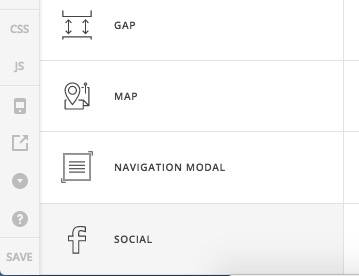
  1. I suggest that instead of using the Shortcodes of the social media icons you use the actual Social Media element in the header builder which will give you more options:

Thank you.

Hi Christopher,

Thank you for your detailed response.

  1. OK, do you know roughly when your development team might add this icon? If I check in again in a few months is it likely to be up?

  2. Worked perfectly!

  3. OK, I will give that a go then.

Cheers,
EW

Hi @riugn557,

All of these items are discussed with our team internally and prioritized based on the amount of interest a particular feature might receive.

Thanks!

This topic was automatically closed 10 days after the last reply. New replies are no longer allowed.