Header over portfolio items - PRO

Hi,

I’m trying to set my portfolio page and it’s not working properly, it doesn’t respect the space of the page.

When I set my custom header it covers part of the portfolio items as you can see here:

Also it happens on portfolio details page:

My website: whido.live
Portfolio page: https://whido.live/?page_id=127
Portfolio item: https://whido.live/?x-portfolio=cblol-2014

Thanks.
Hi @Schimming,

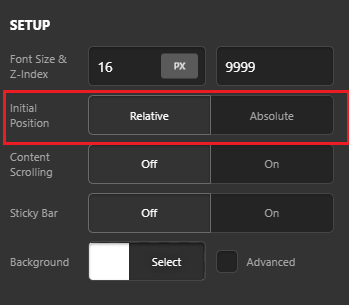
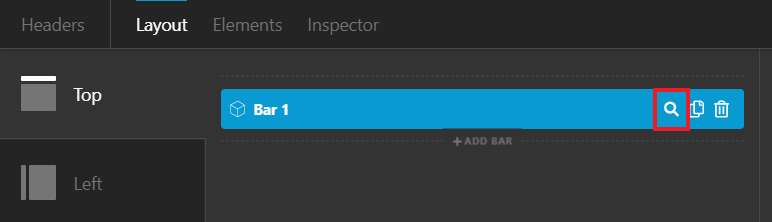
Thank you for reaching out to us. The issue is happening because you’re using the Absolute Position for the bar. To fix it, edit your header in Header Builder, Inspect your Bar and set the Initial Position to Relative under Setup (see screenshots)

Hope this helps!

Solved. Thanks.

We are delighted to assist you with this.

Cheers!

This topic was automatically closed 10 days after the last reply. New replies are no longer allowed.