Hello @snyderonlinemarketing,
Thanks for writing to us.
I checked your given site URL. It seems that is a blank paragraph tag in rendering on the top bar content area because of that the Logo and Header menu items are not clickable. Please have a look at the given screenshot below.
I would suggest you go to the X—>Theme Option —>Header–>Topbar Content and remove the extra blank “P” tag.
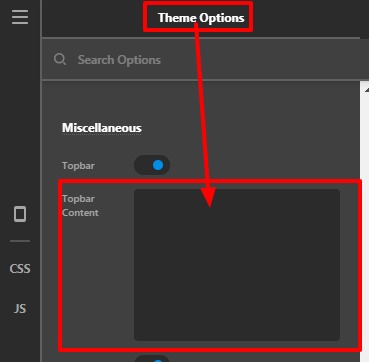
OR
For the quick fix you can use this custom CSS code under X—>Theme Option—>CSS
.x-topbar-inner p:nth-child(3) {
    display: none;
}
The purpose of providing the custom CSS to show you how to add CSS code to your site. Writing custom CSS is outside the scope of our theme support. If you need more customization, you need to learn CSS and learn how to use the browser’s element inspector.
Hope it helps.
Thanks

