Hello
I am trying to sort this spacing issue on my header.
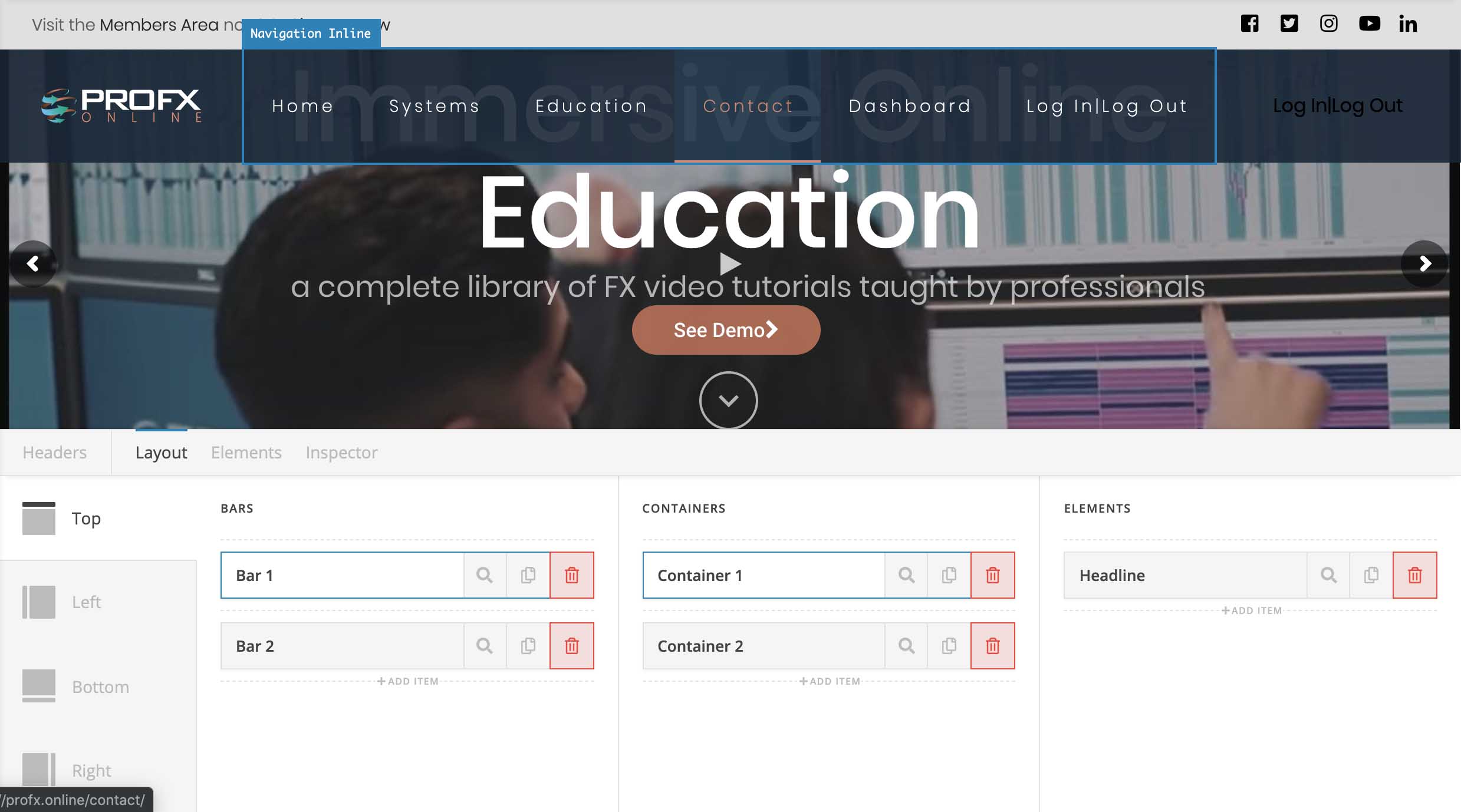
The black text (Navigation inline) to align right and next to it is the Navigation Inline. And the image "Pro FX Online is positioned far left.
Thank you
Hello
I am trying to sort this spacing issue on my header.
The black text (Navigation inline) to align right and next to it is the Navigation Inline. And the image "Pro FX Online is positioned far left.
Thank you
Hi @kumararran,
Thank you for writing in, on your first container where your logo is, please set its Align Horizontal to Start and the Self Flex to Fill Space

For the second and last container set its Align Horizontal to End and the Self Flex to Standard
Hope it helps,
Cheers!
HI Sorry this doesn’t seem to work.
I have attached the header file in private note i am working from. This may give you a better idea of the containers i am using.
Please let me know how to resolve
Hello @kumararran,
In your bar settings, please set the Content Maximum Length width to none. This will make sure that the left and right sides will be almost touching the sides of the browser. You might add some padding if you need a little space.
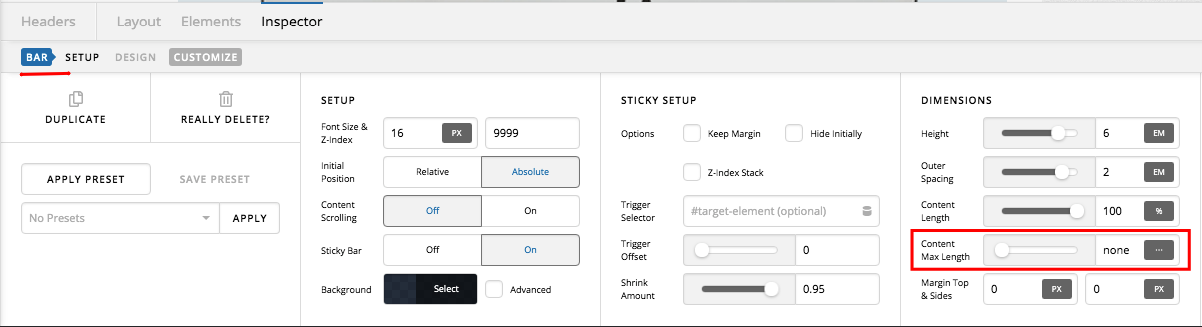
Hope this helps. Please let us know how it goes.
This topic was automatically closed 10 days after the last reply. New replies are no longer allowed.