Hi,
The buttons in the header is displaying correctly in chrome, safari except for windows 7. The buttons are very far apart in windows 7. How do i fix that?
chrome example:

window 7 example:
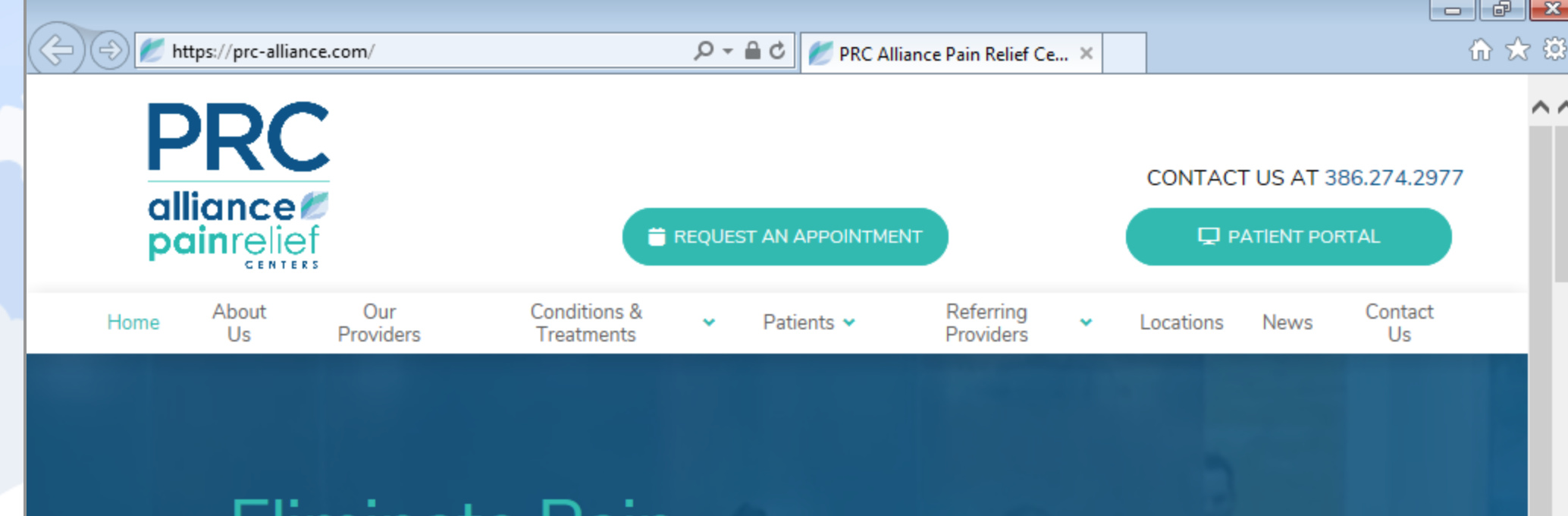
Thanks.
Hi,
The buttons in the header is displaying correctly in chrome, safari except for windows 7. The buttons are very far apart in windows 7. How do i fix that?
chrome example:
window 7 example:
Thanks.
Hi Ali,
Thank you for reaching out to us. I see in your screenshot that you’re viewing your site in IE in Windows 7. Windows 7 normally comes with IE8. and we don’t support versions older than IE11, please check your browser version and update it to at least IE11. Pro is compatible with IE11 and Edge. You might run into issues with IE11 in the builders, but the front end code is all designed to work with IE11 itself.
Thank you!
We were checking for all browsers and several hospitals have windows 7. So there’s not anything we can do about how the site is showing in windows 7?
Hi Ali,
Since you’re adding your custom structure in text element, how about just removing the columns structure? And just use the styling applied by through the ID, Example,
<div id="butCol">
</div>
instead of this
<div id="butCol" class="x-column x-sm x-1-2 last" style="">
</div>
The reason it’s displayed like that is the 48% width applied to the column, and since there should be no spacing then 49% is a bit big, hence, removing the column structure while float:right is there (through ID styling) should be enough.
Thanks!
Thank you thank you! it worked! 
You’re welcome.
This topic was automatically closed 10 days after the last reply. New replies are no longer allowed.