Header buttons not working in Microsoft Edge

Hello,

The hyperlinks in header buttons do not work in Edge or Internet Explorer of two websites. For example: https://vox-klassen.nl (white buttons in the top bar (right) of the header) do appear but are not clickable. Is there a solution to make this work in Microsoft Edge and Internet Explorer. I have checked the url and the address is correct (a full address starting with https://www.)

I am using the paid Pro theme of X.
Hey Vink,

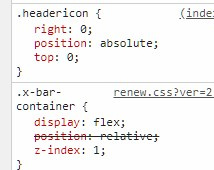
It’s because of the custom headericon which absolutely positioned the container. The Container element is positioned relative by design so it’s not recommended to override that.

Technically, setting the container to position absolute disrupts the z-index stacking because it will find the closest relative positioned element and base its z-index there. Every browser has their implementation on how it should work and it happens that it doesn’t work in IE and Edge so the solution is not cross-browser compatible.

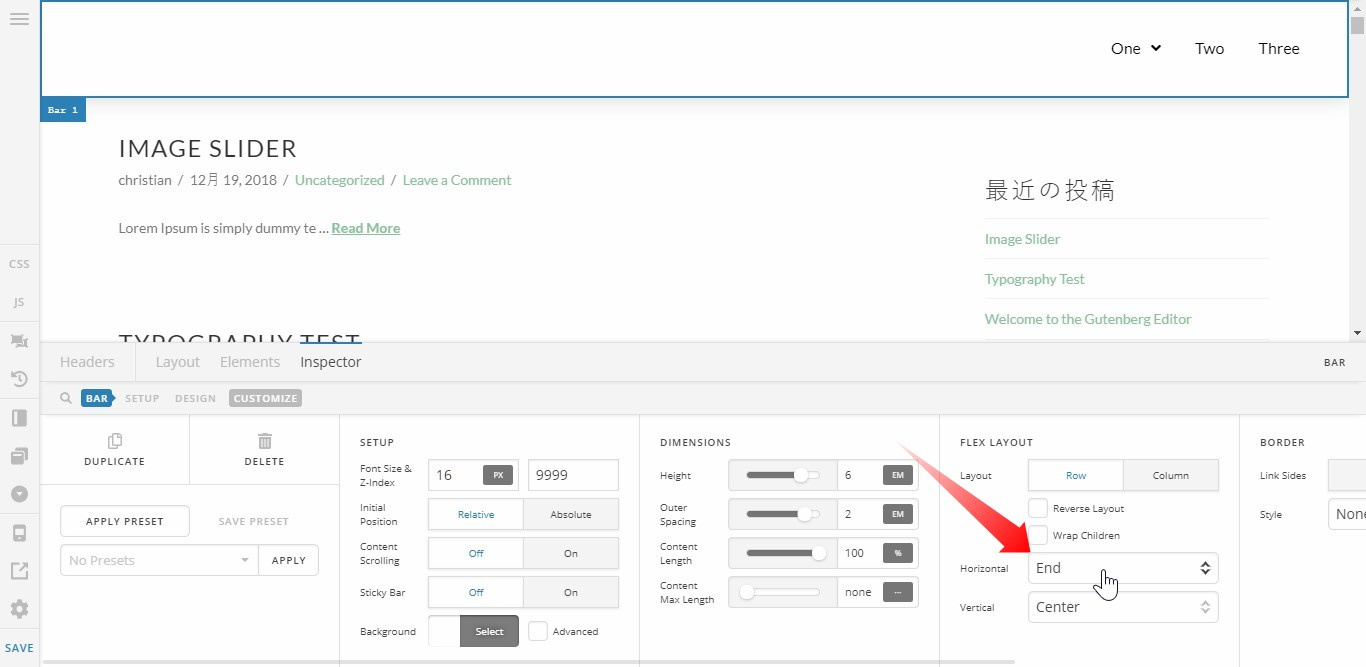
The correct setup to achieve a right aligned container is to set the Bar’s Flex Layout > Horizontal to End. Remove the headericon class from the container.

Hope that helps.

Thanks! This worked for me!

On behalf of my colleague, you’re welcome. Cheers! :slight_smile:

This topic was automatically closed 10 days after the last reply. New replies are no longer allowed.