Could you please assist in how to get the items in the navigation bar to drop below the navigation to a new row when resizing the browser, and not go under the items?

Hey Minna,
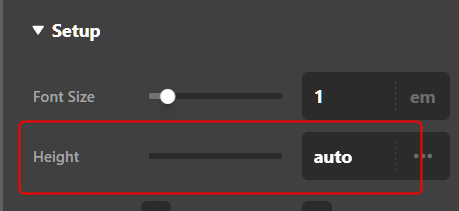
You first need to set the Bar’s Height to auto.
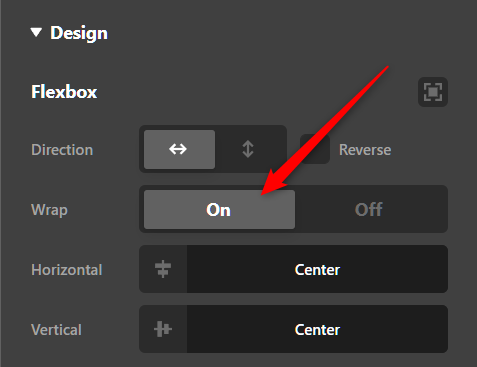
Then, set the Bar’s Wrap to on.
After that, your header will look like this:

Please just note that if the screen width lowers a bit more, your menu will drop below the logo also.

That can’t be avoided so you might want to reduce the items in your menu to the most important ones only.
Hope that helps.
thank you so much!
You are most welcome, Minna.
This topic was automatically closed 10 days after the last reply. New replies are no longer allowed.