Hi - I’d like the first section/image on this page to fill width of the page container. Is there a way to do that? https://www.fantastiobook.com/
Thank you!
Hi - I’d like the first section/image on this page to fill width of the page container. Is there a way to do that? https://www.fantastiobook.com/
Thank you!
Hello @Lorie,
Thanks for asking. 
Please inspect the Row and disable Inner Container option. Here’s a screencast that you can take a look.
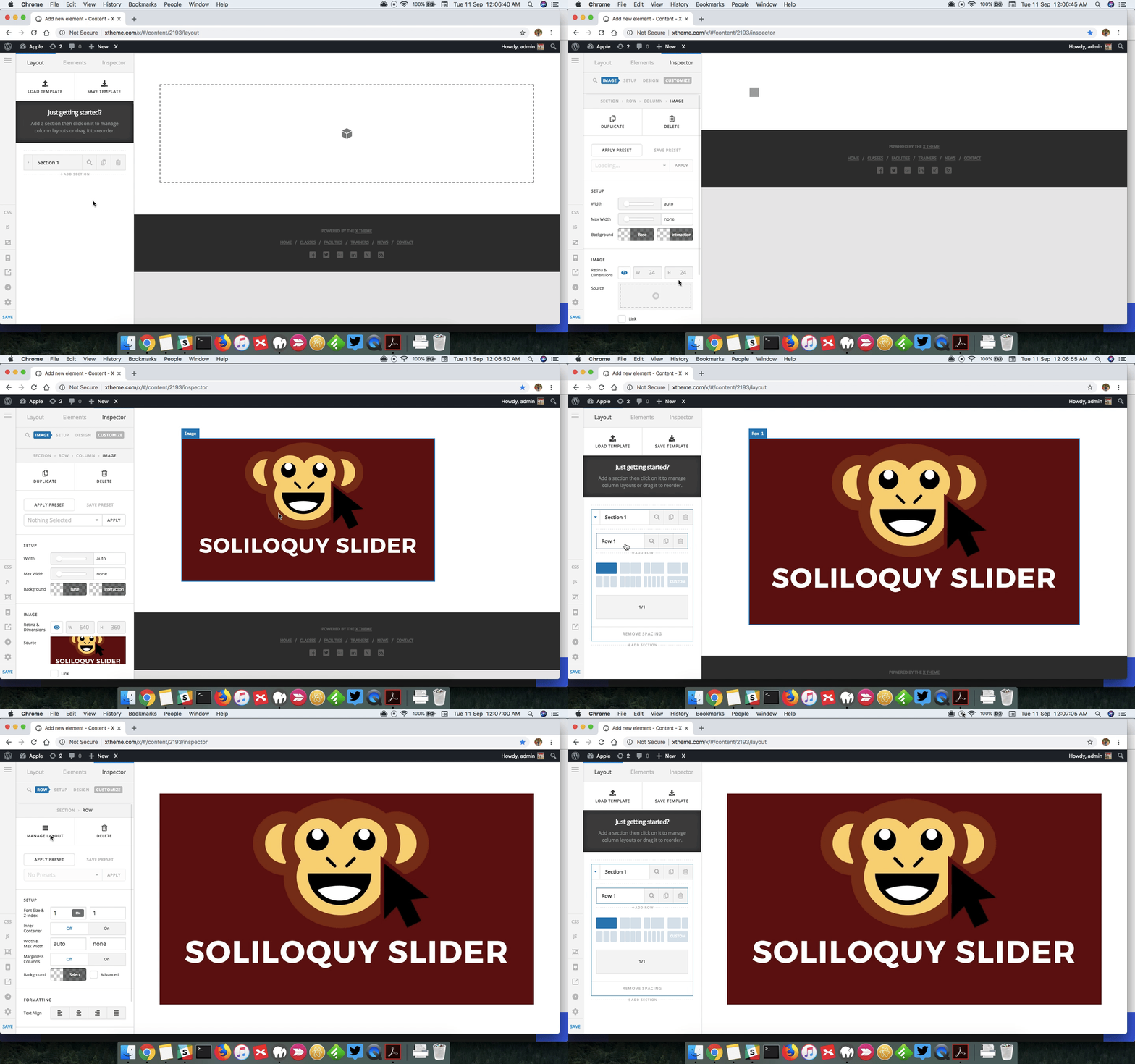
Thanks.
Yep. I already did that. I meant is there a way for it to fill the page container? The part of the page that is screened back.
Hello @Lorie,
Thanks for updating the thread.
You have an option to remove the page padding. However, please note that it will affect the entire page not just the image area. You can add following CSS under X > Theme Options > CSS:
.entry-wrap {
    padding: 60px 0;
}
If you would like to limit the changes to this specific page, use following CSS instead:
.home .entry-wrap {
    padding: 60px 0;
}
Please follow the steps as shown in previous reply to get desired output.
1- I have found the proper CSS code selector using the Chrome browser Developer Toolbar:
2- For the CSS code itself, I suggest that you get started with this tutorial:
Thank you.
Thank you!
You are most welcome.
This topic was automatically closed 10 days after the last reply. New replies are no longer allowed.