Hash (#) button links are not working

Hi folks, I love X Theme and appreciate when we get new features but it is kind of frustrating when different APIs are changing and are not documented.

I am running into a problem with one of my sites (that used to work) using anchor links that have the #ID in them.

<a href='#section_name'>Go To the Section</a>

<div id='section_name'>Should link to this section but it does not</div>

When looking at the debug console I see there is an event listener that has some code related to the href containing # which seems like it might be the culprit:

b.on("touchend click",n,function(t){var e,n=this,i=r()(this),o=i.attr("href"),a="#".concat(o.split("#").pop());if(!w&&"#"!==a&&g(this,t,a)){try{if(0===(e=r()(a)).length)return}catch(t){return}t.preventDefault(),window.history.pushState&&(window.history.pushState(null,null,a),window.dispatchEvent(new CustomEvent("tcoHistoryPush")))

Of course, I do not want to edit the cornerstone files as that would break when the plugin is updated next.

I have version 7.0.4 of X Theme and 4.0.4 of Cornerstone.

Thanks!
Hello Mike,

Thanks for writing in! I have tested the hashtag link and it is working fine on my end. There could be JS error or conflict present in your site which is why it is not working. To assist you with this issue, we’ll first need you to provide us with your URL so that we can investigate further and figure out why it is happening in your end.

Regards.

I’ve since written my own code to fix the issue but I can spin up a test server to show you what is happening. It will be located here.

I have commented out the code that re-enabled the functionality - so this site it is broken.
You can see that it does not automatically scroll on page load and it also is not scrolling when you click the buttons that have #hash links.

Hello Mike,

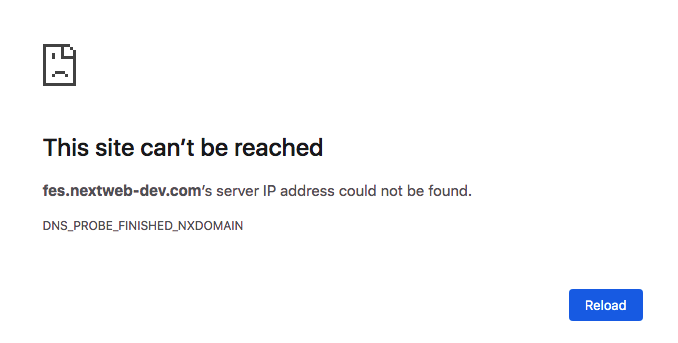
Regretfully the given url is not working for us.

Can you please contact your hosting provider to fix the issue so that we can view your site and investigate your link issue further?

Thank you in advance.

I just tested on my machine and it is working - if it is still not working please try changing your hosts file to 74.50.122.11 for nextweb-dev.com.

Oh wait I disabled access outside the US, let me disable that in my firewall - what country are you in? Or what is your IP?

Hello Mike,

Thanks for updating the thread. :slight_smile:

We have a distributed team spread across the different geographies working on different shifts having dynamic IP address. In that regards it’s difficult for us to share specific IP address. If you wouldn’t mind deactivating it for a while so we can check.

Thanks.

This topic was automatically closed 10 days after the last reply. New replies are no longer allowed.