I have a used some of the Gravity Forms CSS to customize a form, but Xtheme seems to be overriding it.
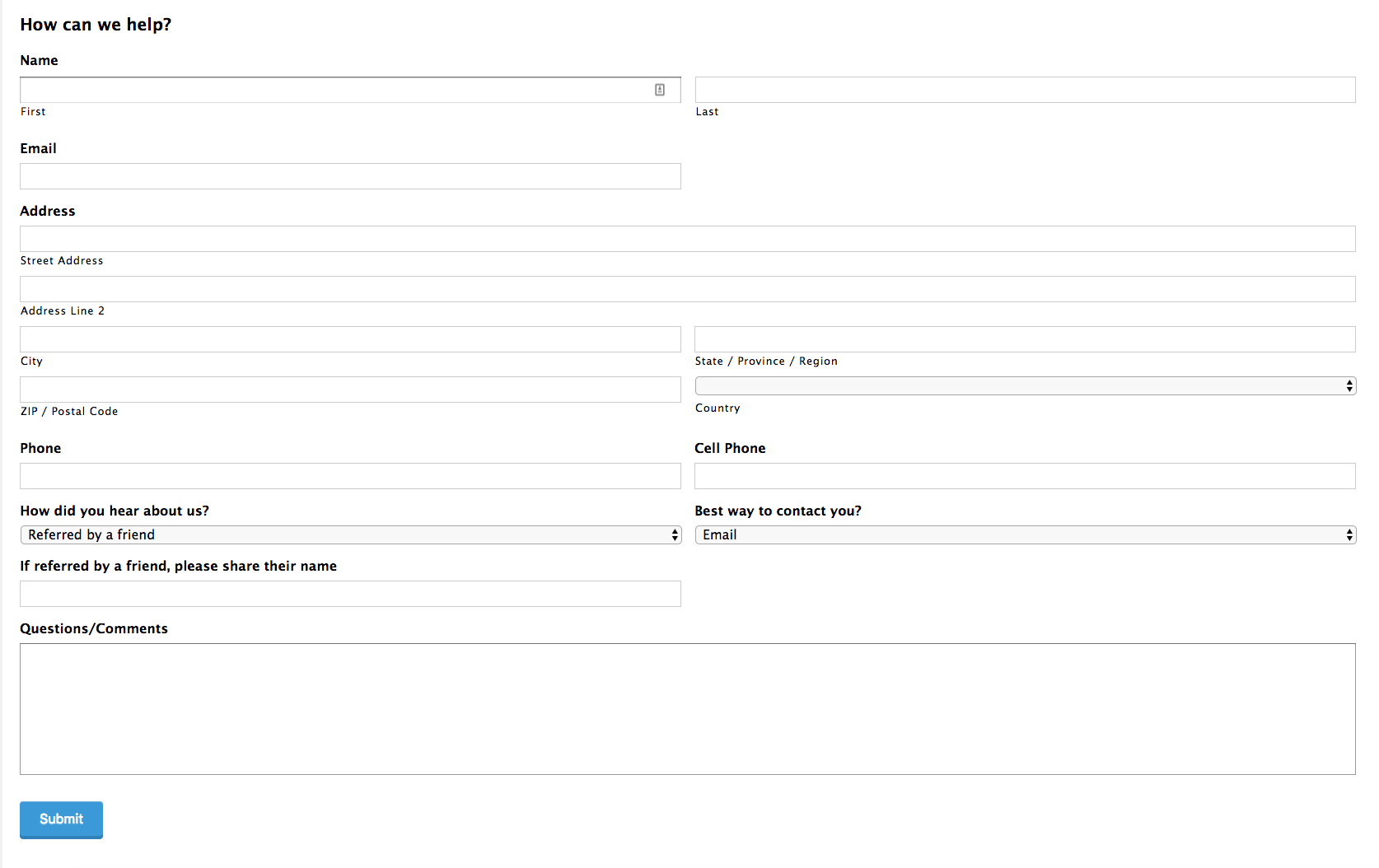
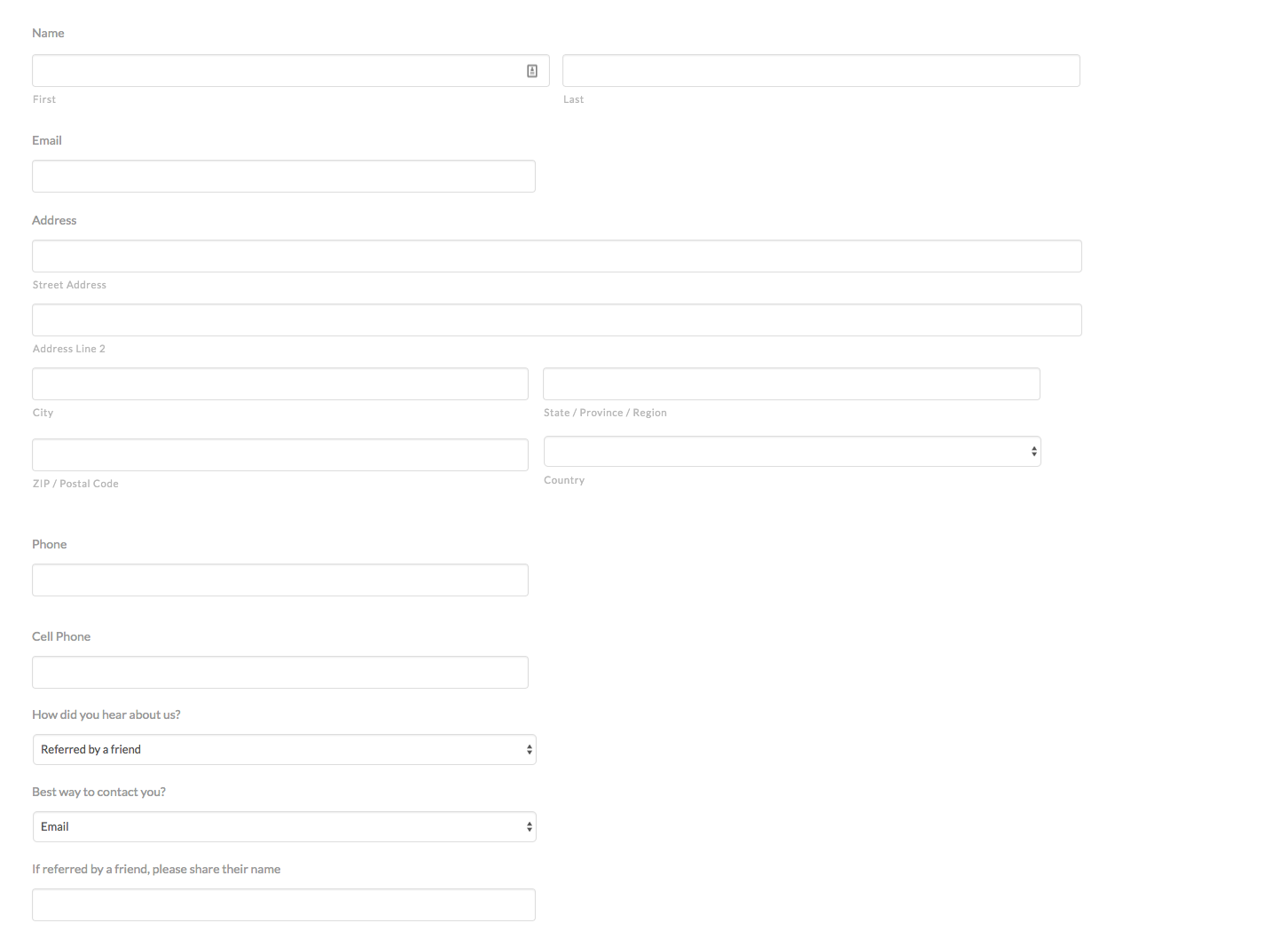
See the two screenshots, the actual is how it looks in the XTheme and the expected is the preview from the Gravity Forms builder
Hi there,
That is correct, our theme does have few general styling which you need to override in your custom CSS code if you do not like the view.
For example there is a styling like this:
select, textarea, input[type="text"], input[type="password"], input[type="datetime"], input[type="datetime-local"], input[type="date"], input[type="month"], input[type="time"], input[type="week"], input[type="number"], input[type="email"], input[type="url"], input[type="search"], input[type="tel"], input[type="color"], .uneditable-input {
    display: inline-block;
    height: 2.65em;
    margin-bottom: 9px;
    border: 1px solid #ddd;
    padding: 0 0.65em;
    font-size: 13px;
    line-height: normal;
    color: #555;
    background-color: #fff;
    border-radius: 4px;
    box-shadow: inset 0 1px 1px rgba(0,0,0,0.075);
}
As you can see the styling is applied to all inputs and select elements for a form. Now to override the behavior you will need to find a CSS selector which is used in the Gravity Forms. I suggest that you wrap all your CSS selectors to the .gform_body class. So, for example, your code will be:
.gform_body input {
    background-color: red;
}
The code above is a sample just to give you an idea on how you can customize things around for the Gravity Form in X.
Thank you.
This topic was automatically closed 10 days after the last reply. New replies are no longer allowed.