Graphic Icon not visible in the Footer editor

Hi:

The graphic icon is not visible in in-line-navigation of the footer editor. By default it shows the hand-in-glove and index finger pointing up icon and I want to change that to something else. However the graphic setup does not have the graphic icon selection field at all!!! Please see the screen shot below.
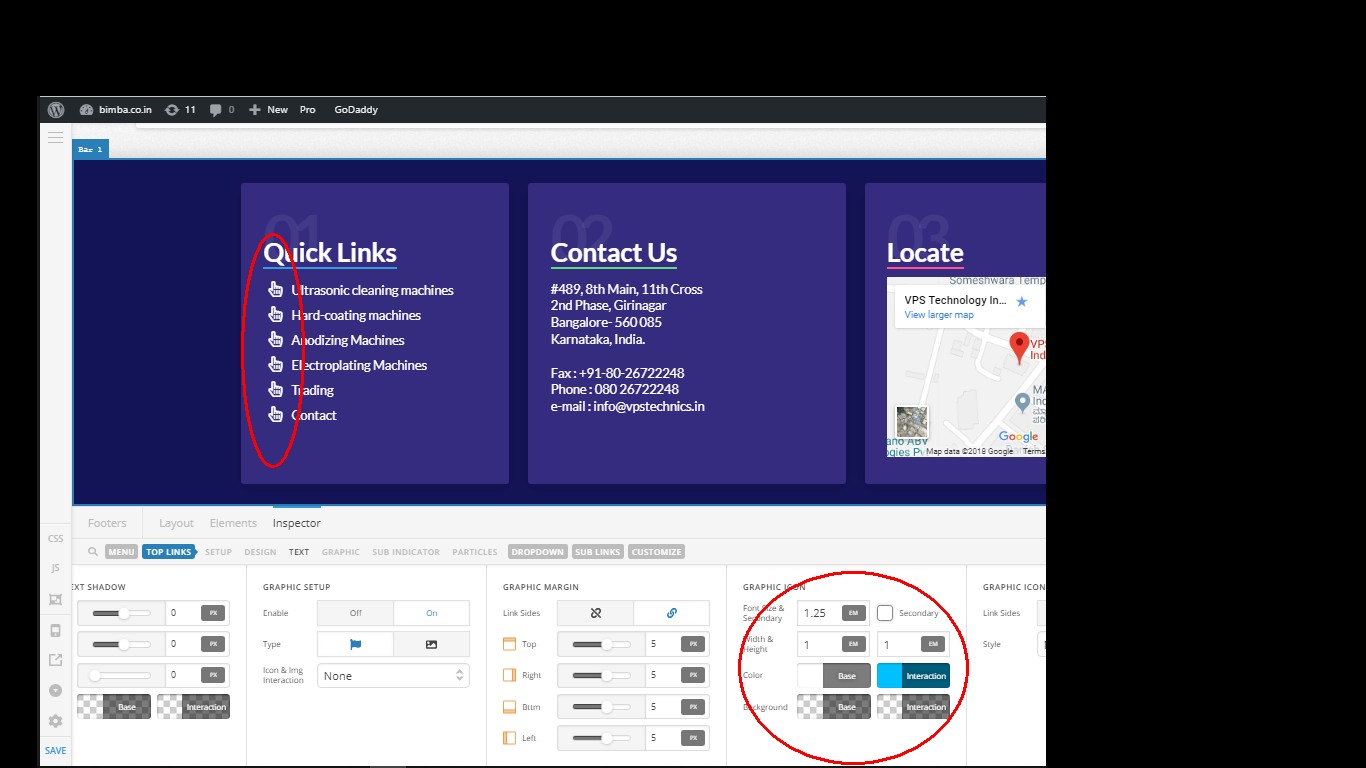
Is there any work-around for that?

Thanks

Ravi Upadhyaya

PS. Updated to version 2.2.5 - the problem persists!!
Hi There,

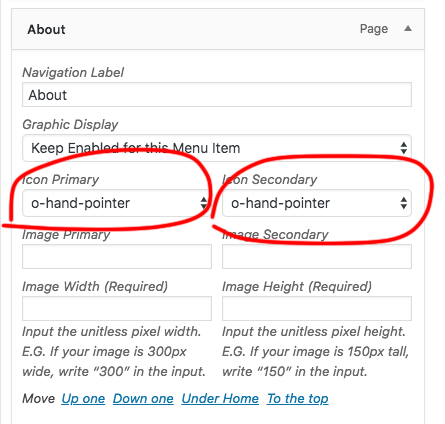
To change the icon for each item you have to change it in menu setting.
Go to Appearance -> Menus and select the menu which has assign to the footer menu.
You can edit any item and change the icon.

Hope this helps!

Yup!! It worked !!! Thanks a lot.!!

Is there a way these icons in wordpress be seen? It is difficult to visualize the Icons from their names… !!

Hi There,

It’s not possible right now.

This is something we can add to our list of feature requests. This way it can be taken into consideration for future development. All of these items are discussed with our team internally and prioritized based on the amount of interest a particular feature might receive.

Thanks!

Thank you…!

You’re welcome.

This topic was automatically closed 10 days after the last reply. New replies are no longer allowed.