Google Maps height

Hello,

I am trying to add fullwidth google map (embed method), but I’d like to decrease its height. Is that possible?
I’ve tried using css, but the marker ends up not visible on the map part present on the site (it’s not centered). I have come up with something like this: http://baak.atthost24.pl/kontakt/, but it doubles site scrolling.
Any way I could resolve this?

The website is: http://baak.atthost24.pl/
(map is bottom of the page)

Best regards,
Adam

Hi Adam,

You can try fixed height option for your map.

Hope that helps

Thanks, worked just fine!
I was also wondering whether it was possible to add color overlay over the map?

Hi Adam,

To add the overlay color on your map, please add the following CSS under Theme Options > CSS:

.x-frame.map-overlay {
    position: relative;
}
.x-frame.map-overlay::before {
    position: absolute;
    content: '';
    width: 100%;
    height: 100%;
    background: rgba(173, 87, 87, 0.75);
    z-index: 9999;
}

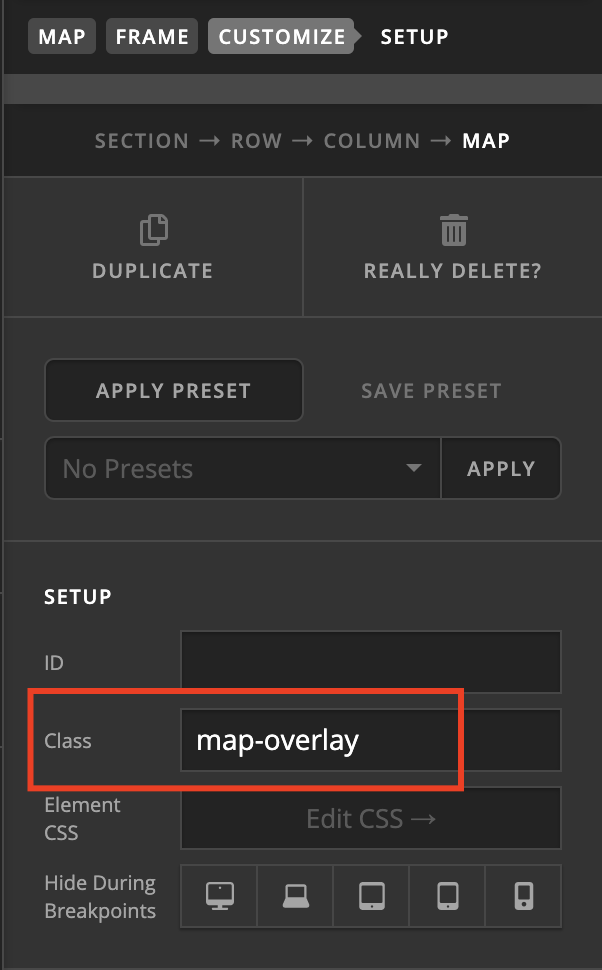
Then add the following class map-overlay to your map:

Hope it helps :slight_smile:

This topic was automatically closed 10 days after the last reply. New replies are no longer allowed.