Google Map Widget

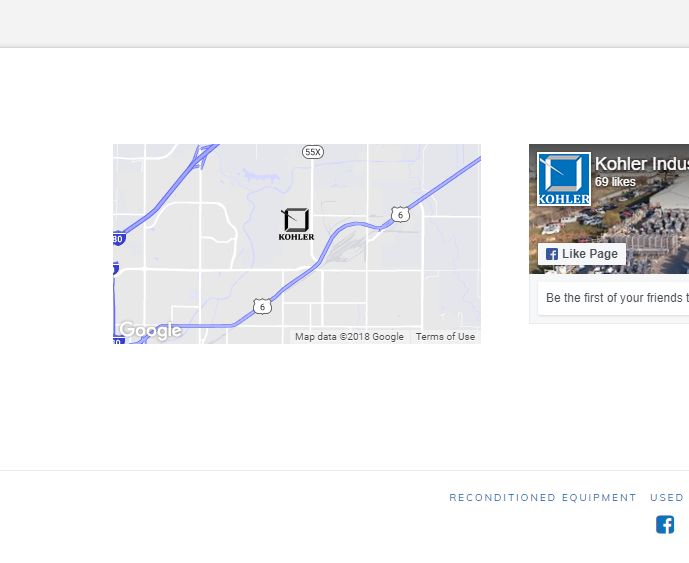
http://www.kohlerindustries.com/ the map isn’t working. I’m not using api, just the shortcode in the widget area
<a href="https://goo.gl/maps/zYDda8bHxou">[google_map lat="40.863926" lng="-96.6486317" zoom="12" height="200px" hue="#666" no_container="true"][google_map_marker lat="40.863926" lng="-96.6486317" image="/wp-content/uploads/2018/02/40kohler_logo_BLACK.png" info="4925 N 56th St, Lincoln, NE 68504"][/google_map]</a>

It says this page can’t load google maps correctly
It used to work fine.
Hey there,

Thanks for writing in! You need to add the Google Map API Key in order to display a map on your site. I checked your site and I see the similar error:

Google Maps API warning: NoApiKeys https://developers.google.com/maps/documentation/javascript/error-messages#no-api-keys

Please add api_key in your shortcode to make it work again, you can see the following example for comparison:

[google_map api_key="your api key here" lat="40.7056308" lng"-73.9780035" zoom="12" zoom_control="true" drag="true" height="45%"][/google_map]

Hope this helps!

1 Like

So your directions at http://demo.theme.co/integrity-1/shortcodes/map/ are no longer valid? I wanted a non-api solution.

Hi there,

I have just checked your site and the Google Map is displaying fine now.

Were you able to get it sorted?

Cheers!

Actually, no. It still shows the error for me.

Hello @turbineflats,

Thanks for asking. :slight_smile:

Have you changed the maps code with image? On my end I see that you are displaying maps using image and upon clicking the redirects to Google Maps website. Please see screenshot.

Thanks.

I did change it, because I didn’t want the error on a live site and i don’t want to use the api. My original code is at the top (taken from your tutorials) and it did not work.

Hello @turbineflats,

Thanks for updating the thread.

Google has changed it’s policy and these days to access maps resources you need to use there API key. More information can be found in following article:

https://developers.google.com/maps/documentation/javascript/get-api-key

My colleague Nabeel has shared the code that you can use.

Thanks.

Thanks. You guys should update the code on your tutorials.

You’re welcome.
And yes we are already revamping the shortcodes demo.

This topic was automatically closed 10 days after the last reply. New replies are no longer allowed.