Global CSS for Highlight

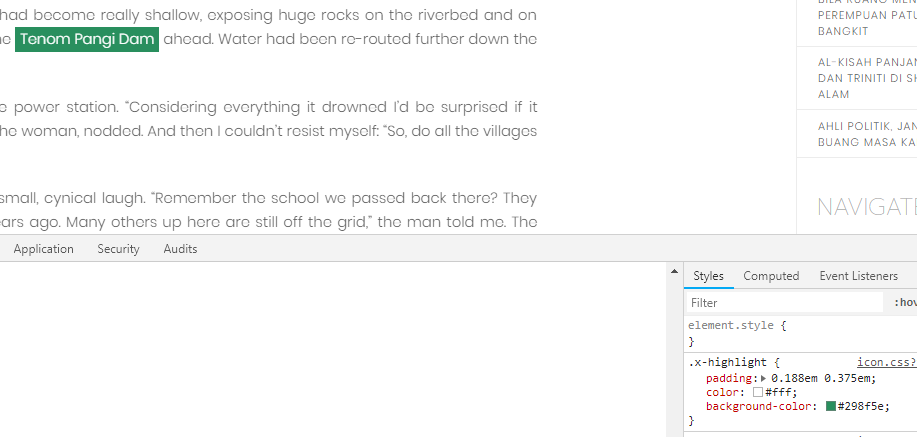
Hi. There are inconsistencies in [highlight type="dark”]XXX[/highlight] for my site. On desktop view it’s green and on mobile it’s dark grey.

Is there a code I can use on the global CSS to ensure all [highlight type="dark”] is rgb 75, 75, 75?

These 2 posts use the same code but have different colors somehow. It’s weird.

  1. http://www.juanajaafar.net/2016/08/dili-and-observations-on-resistencia/
  2. http://www.juanajaafar.net/2016/10/on-sabahs-beaten-tracks/

Hi @juanajaafar,

Thanks for writing in.

I have checked both posts.

The first one is showing

It is dark grey because it has the class dark or it set to dark.

while the other one. It does not have the dark class.

You could make everything dark by adding this code below:

.x-highlight{
    background-color: #484848 !important;
}

Hope it helps.

Let us know how it goes.

Thanks.

Hi. This code is already in the Global CSS but it doesn’t change across posts.

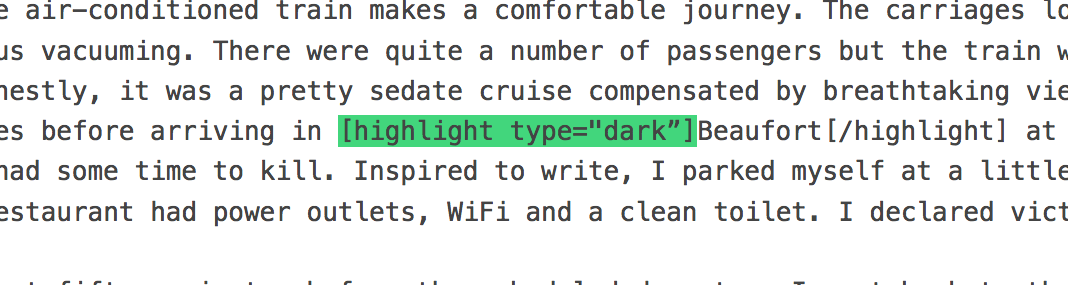
Also, the code in the post that is highlighting green (instead of dark grey) is correct BUT not showing the correct color. See below, the code says [highlight type=“dark”]:

Hello There,

I have logged in and edited the post in Cornerstone. I could not replicate the issue.
This is how I see it:

You may now have resolved the issue. Kindly let us know.

Hi. Okay, it’s fixed now. But it’s still strange because the code [highlight type=“dark”] was used in the post and .

x-highlight{
background-color: #484848 !important;
}

already in the Global CSS. Will write back in if the problem happens again next time.

Hi @juanajaafar,

Let us know how it goes.

Thanks.

This topic was automatically closed 10 days after the last reply. New replies are no longer allowed.