Global CSS and JS disappeared after cornerstone update 3.3.8

Granted I never used a child-theme but renamed the x theme and edited the style.css version etc.

CSS and JS are still getting applied to the website but can’t edit them anymore as they’re no longer where they are supposed to be after I updated. Where are they saved so I can remove them and re-add them?
Hi,

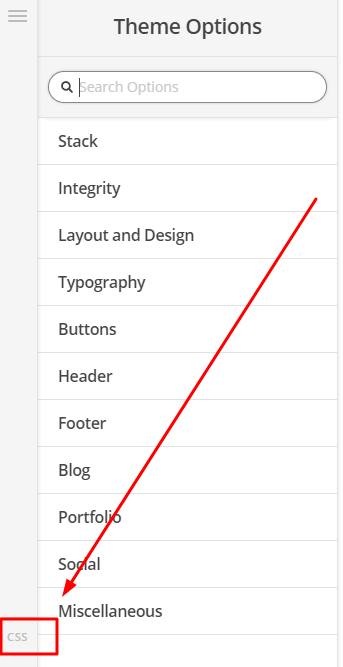
It’s now under Theme Options > CSS

See Screenshot below

Thanks

Thanks for the reply but that’s exactly where it disappeared from. I’ve solved it by upgrading X to Pro. While I upgraded for other reasons, it happened to fix it at the same time.

Glad to hear that the problem is resolved now. :slight_smile:

This topic was automatically closed 10 days after the last reply. New replies are no longer allowed.