Getting Started - Having a number of problems

Hi,

I am using this theme for the first time and finding it frustrating. My background is more design than coding so apologies for the naivety.

Problems:

  1. I would like the site menu to be a specific colour (hex code) in the background, running the full width of the page but not intruding above it where the logo is.

  2. I also do not want to have the ‘bubble’ to appear around the menu item when hovered on, i just want the text to change colour on hover.

  3. I would like the menu font to be white.

  4. Can i align the text currently in the footer to the left?

  5. I am also looking to create sections which are completely full width and split into 2 halves. One will be a title with some text and a button, the other will be an image. Can i make this truly full width? The text will probably need to be offset so it is not completely to the edge but the colour will need to run to the edge.

  6. Although i have set my text to certain sizes the site seems to just make the text huge.

Here is the URL of the page i am currently working on:
http://www.jacquelinekennedy.co.uk/home/

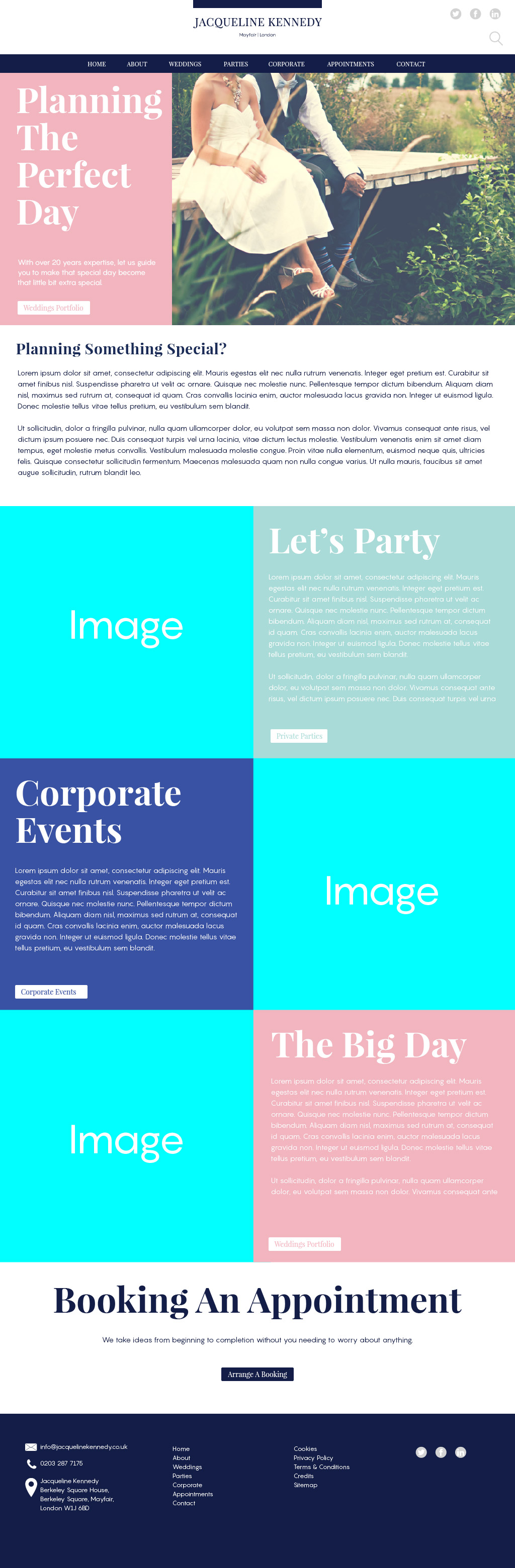
I have included also included a structure of how i want the site to eventually look so you can see what i am talking about if it is not clear from my explanation,

thanks
Hey,

Please, can you provide to us your WP credentials in a secure note? This way we make these modifications and teach you how to accomplish them.

Thanks for the reply, i have added the credentials in a secure note.

Hi,

  1. Add this in Theme Options > CSS
/* background color */
.x-navbar {
    background-color:red;
}
  1. Add this in Theme Options > CSS
/* remove bubble */
.x-navbar .desktop .x-nav>li>a:hover>span {
    border:0;
}```

3) You can change it under `Appearance > Customize > Header > LINKS – TEXT > Navbar Links`


4) Add this in `Theme Options > CSS`

```css
.x-colophon.bottom .x-colophon-content {
    text-align: left;
}
  1. You can only achieve that by selecting a No Container Template under page attributes

  2. You can adjust the text size under Appearance > Customize > Typography

Hope that helps

Hi,

Thanks for the replies.

I have number of other questions that have risen from the lack of options:

  1. Can i add a google font (playfair display SC) which is not listed in the limited amount of fonts for the menus section on Uber menus.

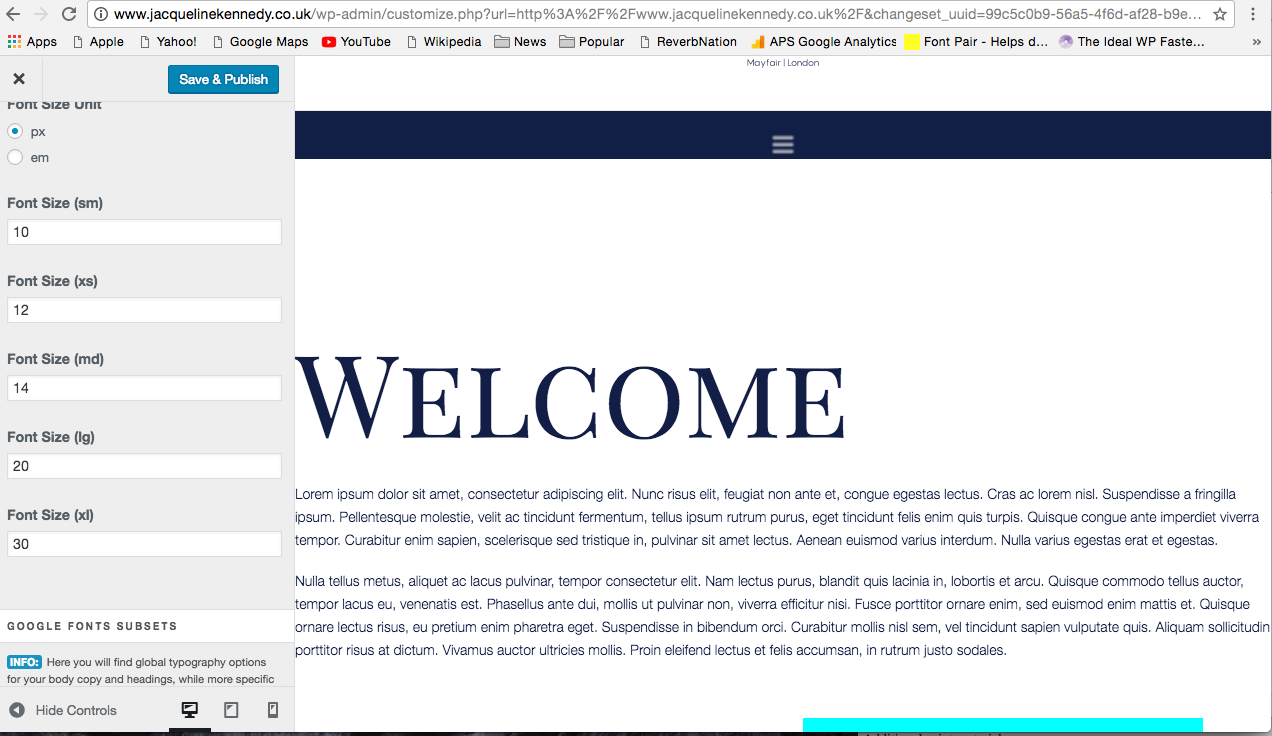
  2. The site text is still gigantic and i can not find a reason why. I have set my font sizes, it seems strange that they are set to “xs” and “sm” etc when we are dealing with H1 - H6 tags? Is there a reason? I am using H tags in my headers. I have attached a screenshot of what i mean along with a view of my typography settings…

  1. Also in the screenshot, you can see the hamburger menu (when the page becomes responsive) is very low res.

  2. Containers in Visual Composer - Are the padding functions gone now? I would like to have 2 boxes flush next to each other but have the text within the box padded so it sits slightly in (as can be seen in the site structure i sent through earlier.

thanks again.

Hi,

I also need to know how to display the 4 column footer with each widget being displayed side as opposed to being stacked.

Also i am trying to add some font awesome icons, but the code is not displaying particularly well, is there anything you can suggest, my main problem is that the text is too close to the icon:

<i class="fa fa-envelope fa-lg" aria-hidden="true"></i>email<i class="fa fa-phone fa-lg" aria-hidden="true"></i>Phone<i class="fa fa-map-marker fa-lg" aria-hidden="true"></i>Address

thanks

Hi, there,

  1. Although UberMenu can’t load all Google Fonts, Pro Font manager has the font you need. If you plan to use the font in other places (pages or posts), that’s a good solution.

Go to Pro -> Launch -> Templates -> Fonts. Add a new font, name it and you can search Playfair Display SC to set the new font template, then save. You need to use the font somewhere in the page/post editor to be sure it will be loaded.

Then, on Main UberMenu Configuration -> Fonts fill Custom Font Property with font-family: 'Playfair Display SC', serif;. So UberMenu will use same font already loaded by X.

  1. Font size unit defines the base font size for all theme. sm, xs, md, lg, xl are references to screen sizes (small, extra-small, medium, large, extra-large), not H1-H6. As you are on large or extra-large screen in a desktop/notebook, your base font is set to 20px or 30px, and considering you’re possibly using proportional settings on titles and texts (em) that’s why you have big fonts.

Try 14 (px) for all sizes as a start and adjust for smaller/larger screens as needed.

Hope it helps!

Thanks for the help, really appreciate it

You’re most welcome!