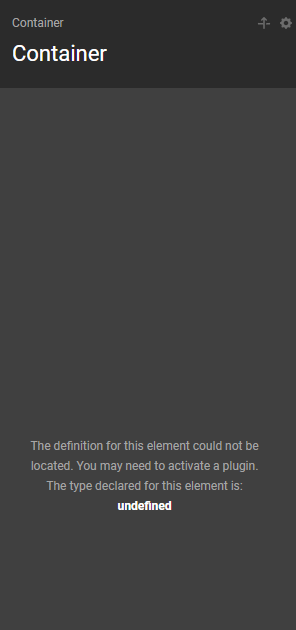
Get Cookie Issue on Logged Out Users

Hi guys,

We’re having an issue with the {{dc:cookie:get name=“isVet”}} condition on the front-end.

On desktop, it seemed to work as expected, but the behaviour was a bit inconsistent on mobile (debugging on iOS Safari). After some digging, we’re thinking it’s because the user was logged out of WordPress, as we got similar behaviour when testing on incognito. We can see that the cookie is there on dev tools, but for some reason this condition doesn’t kick in:

We have some Page JS that checks document.cookies, which is working as expected:
window.addEventListener(‘DOMContentLoaded’, () => {
// console.log(document.cookie);
if (!document.cookie.split(’;’).some(c => c.trim().startsWith(‘isVet=’))) {
if (window.location.hash !== ‘#access’) {
window.location.hash = ‘access’;
}
}
});

Weirdly, sometimes it worked when we added that console.log() statement above, but other times it didn’t, and we’re not sure why. Are there any known issues with dc:cookie:get, or any ideas of what could be causing this?

Thanks

(Edited post) Just digging into this a bit more - it seems that users who are not logged into WordPress aren’t seeing this issue, but logged out users are. Also, for more context, the cookie is set on a Cornerstone Form.

We’re wondering if maybe this is a bug?

Hello @RubberDuckers,

We would be happy to double check your site if we can log in. You can create a secure note in your next reply with the following info:
– Link to your site
– WP login URL
– WP username
– WP password
– WP Administrator Role
– Confirmation that we can access and make changes to your site

To know how to create a secure note, please check this out: How The Forum Works

image

Best Regards.

Sure thing

Hey @RubberDuckers,

I was wondering where you have set the cookie. I could not find where you have added the condition to get the cookie name as well.

You may have forgot to mention it.

Thanks.

The cookie is set via the Vet Form Modal component (found in Other Components - there is a CS form with an action to set it). On the For Vets page, the cookie condition is set on the component instance, and a couple other sections (Resources and News).

Hello @RubberDuckers,

I have edited the page, and I encountered a fatal error in the console because I cannot inspect the element.

There seems to be an issue with the PHP Time limit. Kindly increase it to at least 300 seconds. You can check this in Tools > Site Health > Status > Server. Check out this article to know how you can increase it: https://www.wpbeginner.com/wp-tutorials/how-to-fix-fatal-error-maximum-execution-time-exceeded-in-wordpress/

Best Regards.

Hey @ruenel - that’s increased now

Hello @RubberDuckers,

Do you also experience this issue?

I cannot seem to inspect the elements on the page in the builder.

Which document is that - they’re working OK for me but we can test the specific one

Hi @ruenel - apologies, we’re now seeing this issue on the builder as well can can’t figure out what’s causing it. We’ve looked at the logs, tried disabling snippets, plugins, etc. but nothing seems to be working now. Not sure whether this is related to the initial cookie issue we raised? We’re thinking we might need to roll back to a previous backup.
Any thoughts on what this could be?

Hello @RubberDuckers,

I am not sure what happened. Now, I can inspect the elements already. I am on the Vets page and could not find the condition by the way. I wonder where you have placed it.

  • See the secure note below

Thanks.